

Airveek field guide
Wall art print lifestyle product photo: show believable room scale
Use the supplied unframed decorative wall print as the identity anchor, then compose one complete print in a calm wall-and-console setting with a single scale cue. Keep the muted olive-and-cream artwork, vertical proportions, paper face, and visible side edge unobscured. Use soft side light, preserve 4:5 and square-safe margins, and check a 240 × 240 thumbnail before export; use separate listing and detail images for the other jobs.
Search task: wall art print lifestyle product photo
Written by LIKA
The buyer question
How do I show this wall art print in a believable setting without hiding its scale or important details?
Quick setup
- Goal
- Ecommerce product-page supporting gallery and social crop
- Output
- 4:5 portrait lifestyle frame, 1:1 centered mobile-safe crop, 240 × 240 mobile-thumbnail check, Largest useful master before destination-specific resizing
- Goal
- social-post
- Mode
- product-scene
- Scene
- lifestyle
Example Airveek result
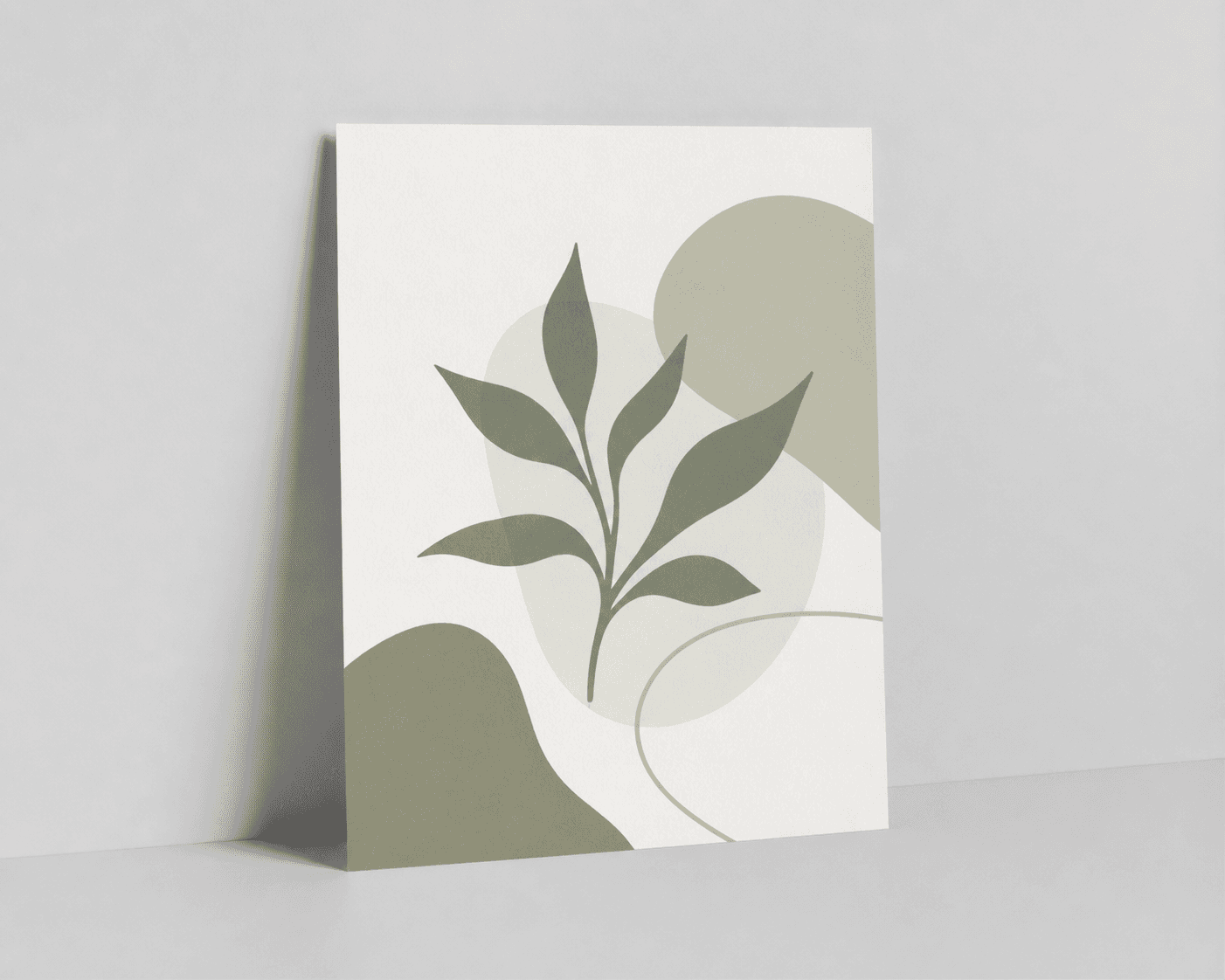

How to create it
1. Upload the two supplied references
Add the supplied wall-print image as the product reference and the supplied morrow logo image as the second input when the demo mark is shown. Use the print to preserve the vertical abstract artwork, muted olive and cream forms, light paper face, proportions, and visible side edge. Keep the exact lowercase morrow wordmark and both sparkle stars together.
2. Choose the lifestyle setup
In Airveek's product-fashion creator, select Mode: product-scene, Scene: lifestyle, and Goal: social-post. This gives the image a believable room-context and apparent-scale job while the clean listing sibling handles fast product identification and the detail sibling handles paper and edge inspection.
3. Build one quiet room-scale composition
Place one complete unframed print leaning upright against a light wall on a low console or shelf. Add only one plain, unmarked book stack at the far edge as a scale cue. Keep the artwork, side edge, and lower edge visible, with the print larger and more noticeable than every room element.
4. Shape the light and preserve the mark
Use soft side light with gentle fill so the paper face separates from the wall and the muted green artwork stays even. If branding is shown, place only the supplied exact lowercase morrow wordmark with both sparkle stars naturally near the lower front edge. Keep every other surface free of readable copy, badges, or overlays.
5. Review scale and crop safety
Compare the result with the supplied print reference at full size, in a 4:5 portrait crop, in a centered 1:1 crop, and at 240 × 240. Keep the scene only when the print remains complete, close enough to identify, visually larger than the props, and clear at the edges.
6. Export the useful master
Keep the largest useful export until the destination's current image and format requirements are confirmed. Use the room-context frame for apparent scale, the clean listing frame for quick identification, and the paper-edge detail frame for close inspection rather than forcing all three jobs into one image.
Tested prompt
Use the supplied unframed decorative wall print reference and the supplied fictional morrow logo reference as the only inputs. Create one premium ecommerce lifestyle photo for one unframed decorative wall print. Keep the exact vertical artwork, muted olive and cream palette, proportions, blank margins, paper surface, and visible side edge unchanged. Place the complete print leaning upright against a calm light wall on a low console or shelf, with one plain unmarked book stack at the far edge as a restrained scale cue. Use soft side light with gentle fill, keep the print dominant, unobscured, and easy to crop for 4:5 portrait, centered 1:1, and 240 × 240 mobile-thumbnail use. Apply only the supplied exact lowercase wordmark "morrow" with its two sparkle stars naturally near the lower front edge when branding is shown. Do not add a frame, mat, hanging hardware, second print, other readable text, invented dimensions, claims, watermarks, retailer logos, promotional overlays, or a plain empty background.Recorded settings
- Goal
- social-post
- Mode
- product-scene
- Scene
- lifestyle
Common problems and fixes
Problem: The print becomes too small against the wall or console.
Fix: Remove background objects, move the camera closer, keep only one book-stack scale cue, and retest the 4:5 crop and 240 × 240 thumbnail before export.
Problem: The side edge blends into the wall or a shadow covers the lower edge.
Fix: Angle the print slightly, shift the light off-axis, add gentle fill, and keep a narrow separation line around the side and lower edges without changing the product.
Problem: The scene makes the print look framed or adds hanging hardware.
Fix: Repeat the supplied unframed print reference, specify a print leaning against the wall, and remove frames, mats, hooks, hangers, and any other construction not visible in the reference.
Problem: The artwork, muted palette, proportions, or supplied mark changes.
Fix: Use the supplied print and logo references again, keep the exact lowercase morrow wordmark with both sparkle stars, and reject any result that redraws the artwork or adds other readable text.
Problem: The image implies exact size, paper quality, mounting, or print performance.
Fix: Remove rulers, badges, spec labels, and claims from the scene. Use the image for visible context and apparent scale only, and keep product specifications in verified product information.
What to double-check
- The supplied reference visibly supports guidance about one unframed vertical print, its abstract muted olive-and-cream artwork, proportions, paper face, blank margins, and visible edges. Verify dimensions, paper stock, finish, mounting method, artist, title, print process, and durability from the actual product information.
- A lifestyle image can show room context, apparent scale, visible artwork, and the unframed treatment. It cannot prove exact dimensions, paper weight, color fidelity on every display, archival properties, or physical construction beyond what is visible.
- A matching reviewed room-scale lifestyle recording is not available yet. Create and inspect a dedicated lifestyle result before presenting one as a generated gallery image or campaign asset.
- The reviewed Airveek detail example supports paper-surface and edge inspection, but a close detail crop cannot replace a complete listing frame or show true wall scale.
Why this works
The lifestyle job answers the question a flat reference cannot: how the unframed print sits in a believable room and how large it feels beside one familiar object. Keeping the print complete and dominant protects the artwork and side edge, while soft side light adds separation without turning the wall or decor into the subject. The listing sibling can handle quick identification, and the detail sibling can handle close paper and edge inspection.
Before you export
- Compare the result with the supplied reference: vertical proportions, muted olive-and-cream artwork, paper face, unframed construction, blank margins, and visible side edge should remain consistent.
- Keep one complete print dominant and unobscured; use one plain, unmarked book stack only as a restrained scale cue.
- Check the full-size result, 4:5 portrait crop, centered 1:1 crop, and 240 × 240 mobile thumbnail so the print and artwork still read quickly.
- Use soft side light with gentle fill so the paper separates from the wall without washing out the artwork or making the edge disappear.
- When branding is shown, use the supplied exact lowercase morrow wordmark with both sparkle stars and no other readable brand copy.
- Keep frames, mats, hangers, extra prints, and busy room styling out of the composition; use the linked listing and detail jobs for their own proof points.
- Confirm dimensions, paper stock, finish, mounting, color, and print quality from product information rather than from the image.
Common questions
How much room context should a wall art print lifestyle photo include?
Use enough wall and console context to make the setting and relative scale believable, then stop before the room competes with the print. Keep one complete unframed print dominant, with the artwork and side edge visible. Use a clean listing image for fast identification and a close detail image for paper inspection.
What is a simple way to show the scale of an unframed wall print?
Lean one complete print against a wall on a low console or shelf and add one plain, unmarked book stack at the far edge as the only scale cue. Keep the print in front and large in frame. If the book stack becomes more noticeable than the artwork, remove it and let the wall and furniture provide quieter context.
Can a lifestyle photo prove the print's exact size, paper stock, or color fidelity?
No. The scene can show apparent scale, visible artwork, paper appearance, and an edge. Exact dimensions, paper weight, finish, archival properties, mounting method, and color fidelity across displays should come from verified product information rather than visual inference.
Should an unframed wall print be shown inside a frame for a lifestyle image?
Not when the product being shown is unframed. Keep it leaning against the wall so the shopper sees the same unframed construction, vertical proportions, and side edge as the supplied reference. A frame or mat changes the product presentation and can hide the detail this page is meant to keep visible.
What should I do when the print disappears in a mobile thumbnail?
Simplify the background, move the print closer, reduce the scale cue, and keep one soft light direction that separates the paper from the wall. Recheck the centered 1:1 crop at 240 × 240. If the artwork still cannot be identified quickly, use the clean listing image for the thumbnail and keep the lifestyle frame as supporting context.
Further reading
- Image link [image_link] | Google Merchant Center Help — Google Merchant Center Help
- Additional image link [additional_image_link] | Google Merchant Center Help — Google Merchant Center Help
- The Complete Guide to Ecommerce Photography — Shopify
- Image SEO Best Practices | Google Search Central — Google Search Central
- I paint, and faking gallery wall mockups in Photoshop took longer than the paintings deserved — Reddit r/SideProject
- Marketplace/category reference — Amazon marketplace reference