

Airveek field guide
Wall art print detail product photo: show paper and edge
For an unframed decorative wall print, the most useful detail frame proves three things: the artwork remains accurate, the paper surface and edge are visible, and the print stays legible at a useful wall scale. Use the supplied source as the identity anchor, add a shallow side angle with controlled light, and keep the exact morrow mark with no other readable text.
Search task: Which detail should this wall art print product photo prove before a shopper buys?
Written by LIKA
The buyer question
Which detail should this wall art print product photo prove before a shopper buys?
Your starting product
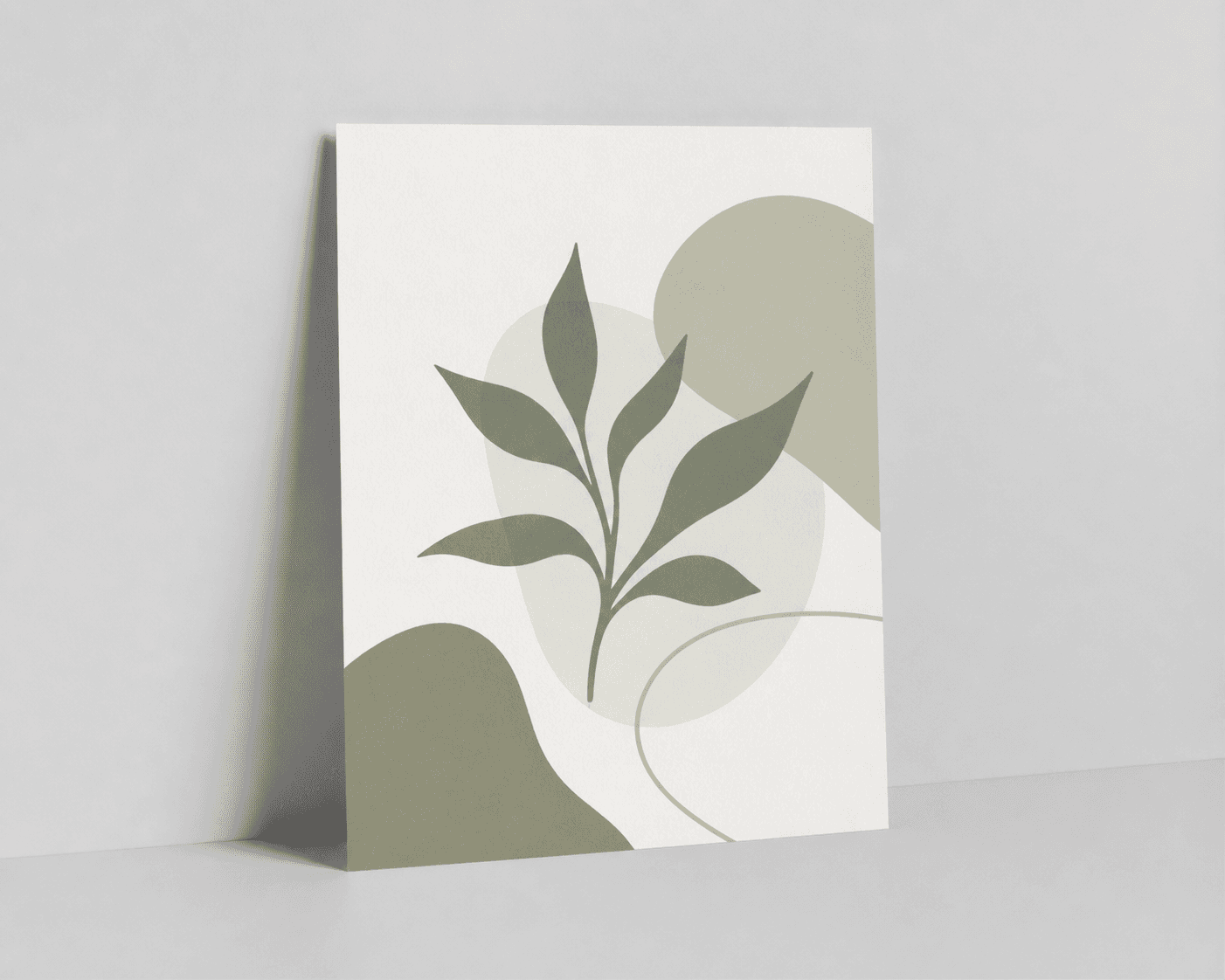
Start with a clear photo that shows the full product and the details shoppers need to see. Keep this reference nearby while you generate, compare, and refine each image.
Quick setup
- Goal
- ecommerce product-page detail gallery
- Output
- 1024x1024
- Goal
- store-listing
- Mode
- product-scene
- Scene
- studio
Example Airveek result

How to create it
1. Add the print and logo references
Upload the supplied wall-print reference first, then add the supplied morrow logo as the second input. Keep the vertical rectangle, muted green abstract artwork, proportions, paper surface, and visible side edge as the identity anchors. Do not infer a paper stock, size, frame, or hanging method from the image.
2. Set the recorded close-detail workflow
Choose Mode: product-scene, Scene: studio, and Goal: store-listing. Use a quiet neutral surface and a square composition. Keep enough margin for mobile crops, but make the print large enough that a shopper can inspect the paper and edge rather than seeing a distant room scene.
3. Use angle and light to reveal the edge
Keep the artwork face mostly readable, then introduce a shallow side angle so one edge separates from the background. Use controlled side light or soft tonal separation to reveal the paper surface without tinting the supplied colors. Keep the unframed print as the only hero.
4. Preserve the artwork and supplied mark
Require the exact artwork, colors, paper appearance, and proportions to remain unchanged. Use only the supplied lowercase morrow wordmark with its two sparkle stars, placed naturally on the product surface. Remove any other readable brand copy, dimensions, claims, watermarks, or promotional overlays.
5. Review full size and the mobile thumbnail
Compare the result with the source at full size and at 240 × 240. Check the artwork silhouette, vertical crop, paper texture, side edge, mark placement, and color. Reject a frame if the edge disappears, the print is too small to inspect, or the artwork has been redrawn.
6. Export from the largest clean result
The recorded Airveek example is 1024 × 1024. Keep that result as the documented example, do not enlarge a thumbnail, and check the current destination requirement before using it in a marketplace feed or product gallery. Preserve a clean master for any destination-specific crop.
Tested prompt
Use the supplied fictional MORROW logo reference (second input) as the product's only brand mark. Apply the exact lowercase wordmark "morrow" with its two sparkle stars naturally to the product label, package, or product surface; preserve the mark without inventing other words. Create one close-up ecommerce detail photo for one wall art print. Keep the exact artwork, colors, paper, and proportions unchanged. Show the category-specific buyer detail clearly: the paper and edge. Use controlled commercial light and preserve the exact product geometry, color, labels, and materials. Do not invent any other readable text, dimensions, features, claims, extra products, watermarks, or retailer logos.Recorded settings
- Goal
- store-listing
- Mode
- product-scene
- Scene
- studio
Common problems and fixes
Problem: The paper edge disappears into the background.
Fix: Rotate the print slightly, pull back enough to keep one edge in frame, and use soft side light or a gentle neutral surface to create separation without changing the artwork.
Problem: The close crop changes the supplied abstract artwork or colors.
Fix: Reassert the source image as the identity anchor, name the vertical proportions and muted green forms, remove any style language that invites a redraw, and compare the result with the source before selecting it.
Problem: The supplied mark becomes unreadable or extra text appears.
Fix: Keep the logo reference as the second input, require the exact lowercase morrow wordmark and two sparkle stars, and explicitly exclude every other readable word, watermark, retailer mark, and overlay.
What to double-check
- The supplied reference visibly supports guidance about the artwork, vertical proportions, paper surface, and side edge. Verify print stock, weight, finish, dimensions, hanging hardware, archival properties, and other specifications from the actual product information.
- A generated detail frame can show the visible appearance and apparent edge of the print; it cannot prove the physical feel of the paper or exact color fidelity on every display.
- Use this close-detail frame for inspection. Pair it with a separate clean listing frame for quick identification and a separate lifestyle frame when you need a room-scale cue.
- The fictional morrow example uses only the supplied lowercase wordmark and its two sparkle stars. Keep any destination-specific brand or marketplace treatment aligned with the actual product information.
Why this works
Shoppers cannot inspect a print's edge or surface from a distant front view. A shallow angle and controlled light make those visible while the unframed artwork remains the hero. Holding the supplied artwork constant protects its geometry and color; keeping listing and room-scale jobs separate leaves this image free to answer one close-inspection question.
Before you export
- Compare the artwork, colors, proportions, and print silhouette with the supplied source before selecting the frame.
- Keep the paper surface and one side edge visible without adding a frame, mat, hanging hardware, or other unshown construction.
- Use controlled side light or soft neutral separation so the print edge reads without shifting the supplied muted palette.
- Preserve the exact lowercase morrow wordmark and both sparkle stars, with no other readable brand text or overlays.
- Check the full-size image and a 240 × 240 thumbnail for edge visibility, artwork fidelity, mark placement, and crop safety.
- Export from the largest clean original and confirm the destination's current image requirements before placement.
Common questions
What should a wall art print detail product photo show?
Show enough of the full vertical print to preserve the artwork's identity, then use a shallow angle and controlled light to make the paper surface and one side edge inspectable. This frame should answer the close-detail question; use separate images for a clean primary listing view and for room scale.
Can a product photo prove the exact paper stock, size, or print quality?
It can show visible surface appearance, an edge, and apparent scale in context, but it cannot establish paper weight, finish, exact dimensions, archival properties, or color fidelity on every screen. Keep those claims tied to the product information for the exact print shown.
Should the detail frame show the whole print or only a corner?
Keep enough of the whole vertical artwork in view that a shopper can identify the print, then bring one edge closer for inspection. A corner-only crop may show texture but can hide the artwork, proportions, or color that the buyer is actually comparing.
How should I export a wall art detail image for a product page?
Keep the largest clean original as the master, avoid enlarging a thumbnail, use a stable image URL, and check the destination's current size and format requirements before export. The recorded Airveek example is a 1024 × 1024 square, so use it as the documented workflow example rather than as a universal marketplace requirement.
Further reading
- Additional image link [additional_image_link] - Google Merchant Center Help — Google Merchant Center Help
- Image SEO Best Practices — Google Search Central
- [Printing] Business perspective on Art Prints and torn edges — Reddit r/artbusiness
- Marketplace/category reference — Amazon marketplace reference
- Image link [image_link] - Google Merchant Center Help — Google Merchant Center Help
- The Complete Guide to Ecommerce Photography — Shopify