

Airveek field guide
Food Storage Container Lifestyle Product Photo: Show Pantry Scale Clearly
Use the supplied clear stackable food storage container as the identity reference, then place one open container beside its lid on an organized pantry counter with a modest amount of dry food. Keep the container dominant, show its transparent walls and lid relationship, and use the scene only as a visual scale cue. Add the exact lowercase morrow wordmark and two sparkle stars from the supplied logo reference when branding is shown, then check square, 4:5, and mobile crops.
Search task: food storage container lifestyle product photo
Written by LIKA
The buyer question
How do I show this food storage container in a believable setting without hiding its scale or important details?
Your starting product
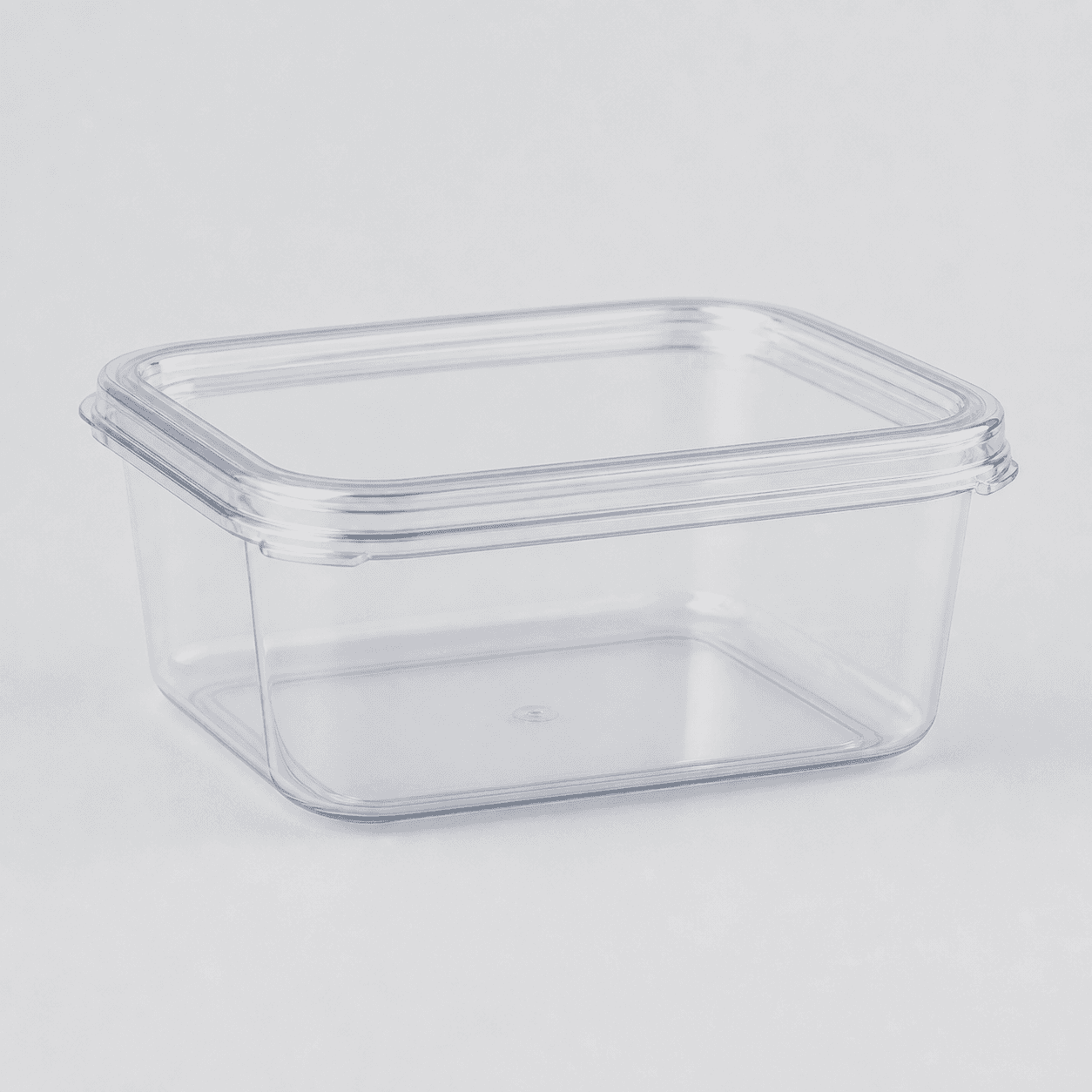
Start with a clear photo that shows the full product and the details shoppers need to see. Keep this reference nearby while you generate, compare, and refine each image.
Quick setup
- Goal
- Ecommerce product-page supporting image and mobile social lifestyle crop
- Output
- 1:1 square-safe master, 4:5 lifestyle crop where the destination supports it, 240 x 240 mobile-thumbnail check, Largest clean export before destination-specific resizing
- Goal
- social-post
- Mode
- product-scene
- Scene
- lifestyle
Example Airveek result

How to create it
1. Add the two supplied references
Upload the clear container image as the product reference and the supplied morrow logo as the second input. Use the container image to preserve the empty rectangular shape, fitted lid, transparent walls, and visible rim; use the logo only for the exact lowercase morrow wordmark and its two sparkle stars.
2. Choose the pantry lifestyle setup
In Airveek's product-fashion creator at /create/product-fashion, set Mode to product-scene, Scene to lifestyle, and Goal to social-post. Keep this job focused on believable pantry context and visual scale; use the clean-listing sibling for fast identification and the detail sibling for close lid, seal-interface, and stack inspection.
3. Build one clear use cue
Place one open container beside its matching lid on an organized pantry counter, with a modest amount of dry food inside if it helps explain use. Keep the container and lid in the foreground, keep props restrained, and treat the shelf or counter as a visual scale cue rather than a measurement or capacity claim.
4. Light for transparency and shape
Use soft window-like side light with gentle fill and a neutral palette. Keep a natural contact shadow so the product sits in the scene, while preserving enough edge contrast for the transparent walls, rim, fitted lid, and empty shape to read without glare or a dark band across the product.
5. Protect the crop and mark
Leave breathing room around the container and lid for a square-safe master and a 4:5 lifestyle crop, then inspect a 240 x 240 mobile thumbnail. When branding is shown, keep the exact lowercase morrow wordmark and both sparkle stars together on the product or package, with no other readable brand text or floating mark.
6. Compare before export
Compare the result with the supplied container and logo references at full size, in the intended crops, and at mobile size. Reject altered geometry, a hidden lid or rim, extra products, invented text, or a scene that makes the pantry the hero. Export the largest clean original available, then check the destination's current format, pixel, and file-size requirements.
Tested prompt
Use the supplied clear stackable food storage container image as the identity reference and the supplied fictional morrow logo reference as the second input. Preserve the exact lowercase wordmark "morrow" with its two sparkle stars, place it naturally on the product or package, and use no other readable brand text. Create one premium ecommerce lifestyle photo for one clear stackable food storage container in an organized pantry counter scene. Place the container open beside its separate lid and with a modest amount of dry food inside as a visual use cue; keep the full container, lid, rim, and transparent walls dominant, unobscured, and large enough to inspect. Use one simple shelf or counter background with restrained props so the scene gives visual scale without implying exact capacity. Use soft window-like side light with gentle fill, neutral color, a natural contact shadow, and enough contrast for transparent edges and the lid relationship to read. Compose with safe space for 1:1 and 4:5 crops and a 240 x 240 mobile check. Do not invent dimensions, capacity, airtightness, leakproofness, food-safety, microwave, freezer, or other product claims. Do not add a second unprovided container, extra lid, utensils, hands, competing products, readable text, watermarks, retailer logos, promotional overlays, or a plain empty background.Recorded settings
- Goal
- social-post
- Mode
- product-scene
- Scene
- lifestyle
Common problems and fixes
Problem: The container blends into the pantry or transparent edges disappear.
Fix: Choose a quiet neutral surface, use soft side light with gentle fill, add a natural contact shadow, and preserve tonal separation around the lid, rim, and walls.
Problem: The pantry styling becomes more noticeable than the product.
Fix: Remove extra containers, labels, utensils, hands, and competing products. Keep one open container and one matching lid in the foreground with lower contrast in the background.
Problem: The lid or rim is hidden by food, a shelf, or the crop.
Fix: Move the lid beside the container, reduce the food cue, pull back slightly, and retest the square-safe and 4:5 crops before export. Reserve close lid and seal-interface proof for the detail job.
Problem: The scene implies exact capacity, stack height, or seal performance.
Fix: Use the pantry only as context and a visual scale cue. Remove rulers, callouts, badges, and invented claims, then verify exact specifications from product information.
Problem: The product identity or supplied mark drifts in the generated frame.
Fix: Reuse both supplied references, repeat the clear shape, fitted lid, transparent walls, exact lowercase morrow wordmark, and two-sparkle constraints, and reject any changed geometry, extra readable text, or competing mark.
What to double-check
- The available ECO19 saved result is a clean empty-container composition reference, not a finished pantry lifestyle frame. Use it to compare identity and framing, then run the lifestyle prompt before using a branded scene in a storefront or campaign.
- The supplied reference shows one clear empty rectangular container with a fitted lid, transparent walls, and a visible rim. It does not establish exact dimensions, capacity, food-safety status, microwave or freezer use, airtightness, leak resistance, or other specifications.
- A pantry shelf, counter, or modest amount of dry food can provide visual context and an apparent scale cue, but it cannot prove exact capacity or stack height. Verify those details separately.
- The available capture did not include the supplied morrow logo reference and did not produce an independent lifestyle run. Re-run with both supplied references and compare the mark, product identity, and crop before treating the new result as final.
- If the destination requires a clean primary product image, use the separate listing workflow; keep this lifestyle frame for context and visual scale. Confirm the destination's current image rules before export.
Why this works
A clear container can disappear in a busy pantry, so the setting has to explain use without taking over. One open container beside its matching lid makes the relationship visible, while a small amount of dry food gives the scene an everyday cue without becoming a capacity claim. Soft side light separates transparent edges from the background, and a quiet shelf or counter supplies visual scale. The clean listing sibling handles product identification; the detail sibling handles close lid and stack inspection; this page stays focused on context and crop-safe scale.
Before you export
- Use the same supplied container reference and supplied morrow logo reference for the lifestyle job.
- Keep one clear rectangular container and its matching lid consistent with the source; preserve the fitted lid, visible rim, transparent walls, and empty shape.
- Use one organized pantry counter or shelf with restrained props and a modest dry-food cue; keep the container and lid larger and sharper than the setting.
- Use soft side or window-like light with gentle fill and a neutral palette so transparent edges and the lid relationship read without glare or a dark cast.
- Leave safe crop space for a square master and 4:5 lifestyle crop, then inspect both at full size and at 240 x 240.
- Verify exact dimensions, capacity, stack height, food-safety status, microwave or freezer use, airtightness, leak resistance, and other product specifications from product information rather than inferring them from the image.
Common questions
What should a food storage container lifestyle product photo show?
Show one container in a believable pantry or kitchen setting with enough of the product visible to identify its clear rectangular shape, fitted lid, transparent walls, and rim. Let the counter or shelf provide context and a visual scale cue, but keep the container dominant. Use a clean listing view for fast identification and a separate detail view for close lid and stack inspection.
How do I show what fits inside without making a capacity claim?
Place a modest amount of dry food inside the open container as an everyday-use cue, and keep the lid beside it. Do not fill the frame with food or use a ruler, label, or callout to imply an exact amount. The scene can show context; exact capacity and dimensions should come from verified product information.
Should the container be open or closed in the lifestyle photo?
For this pantry job, show the container open beside its matching lid so the viewer can understand the use moment and still see the product shape. Keep a closed product-dominant image for the listing job, and reserve a tighter crop of the lid-to-rim relationship and stack interface for the detail job.
How can I keep a clear container readable on a mobile crop?
Keep the container and lid in the foreground, use soft side light with enough edge contrast, reduce prop clutter, and leave breathing room for both square and 4:5 crops. Review the result at full size and at 240 x 240 before export. Write direct alt text and keep the image beside relevant page copy so the visual has useful context.
Can a lifestyle image prove airtightness, leak resistance, dimensions, or food safety?
No. A lifestyle image can show the visible container, lid, contents, and setting, but it cannot establish seal performance, exact measurements, food-safety status, microwave or freezer use, or another specification that is not visible and verified. Keep those details in the product information for the exact container shown.
Further reading
- Airveek: All-in-One AI Image Generator — Airveek
- Image link [image_link] - Google Merchant Center Help — Google Merchant Center Help
- The Complete Guide to Ecommerce Photography — Shopify
- Image SEO Best Practices — Google Search Central
- Taking product photographs — Shopify Help Center
- Public discussion of food storage container buying concerns — Reddit r/Amazon__Deals_
- IKEA 365+ food container product page — IKEA
- Marketplace/category reference for stackable food storage containers — Amazon marketplace reference