

Airveek field guide
Clean Food Storage Container Listing Photo: Keep the Lid and Shape Clear
Start with the supplied clear stackable food storage container as the identity reference, then generate one complete product-dominant frame with its fitted transparent lid closed on a neutral studio background. Keep the rectangular shape, rim, lid edge, and transparent walls easy to read; use soft light, a subtle contact shadow, and square-safe breathing room. Add only the supplied lowercase morrow wordmark and two sparkle stars, then inspect a 240 × 240 thumbnail before export.
Search task: food storage container clean listing product photo
Written by LIKA
The buyer question
How do I create a clean listing image for this food storage container while keeping the product identity accurate?
Your starting product
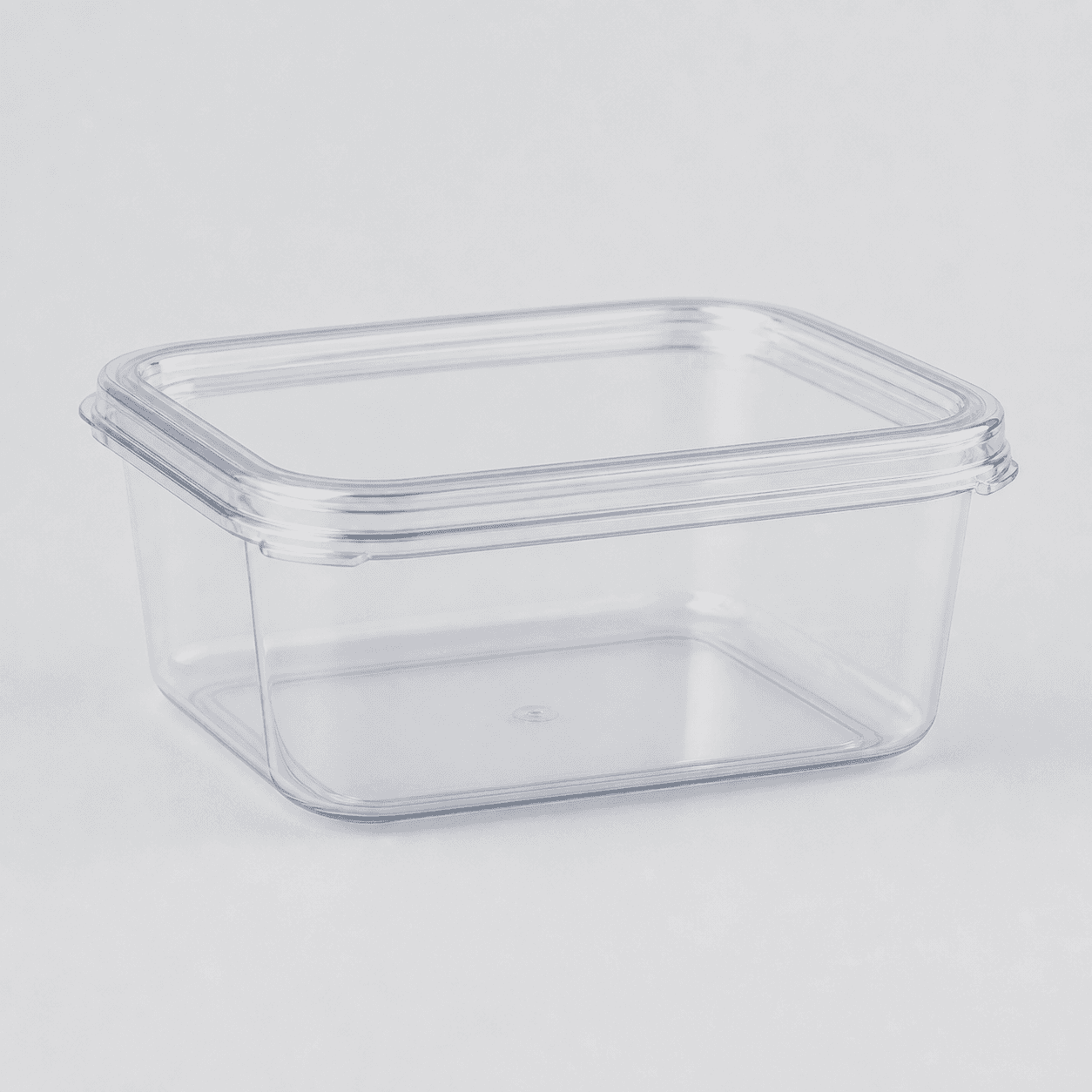
Start with a clear photo that shows the full product and the details shoppers need to see. Keep this reference nearby while you generate, compare, and refine each image.
Quick setup
- Goal
- Clean primary listing image for an ecommerce product page or marketplace feed
- Output
- 1:1 square master, 1500 x 1500 target where the destination supports it, 240 x 240 mobile-thumbnail check, Largest clean original before destination-specific resizing
- Goal
- store-listing
- Mode
- product-scene
- Scene
- studio
Example Airveek result

How to create it
1. Add the two supplied references
Upload the clear container image as the product reference and the supplied morrow logo as the second input. Use the container image to preserve the empty rectangular shape, fitted lid, transparent walls, visible rim, and color; use the logo only for the exact lowercase morrow wordmark and its two sparkle stars.
2. Choose the observed listing setup
In Airveek's product-fashion creator at /create/product-fashion, set Mode to product-scene, Scene to studio, and Goal to store-listing. Keep this job focused on fast product identification; use the clean container reference, not a pantry scene or close-up, as the listing hero.
3. Lock the product identity
Ask for one complete container with the matching fitted transparent lid closed. Keep the rectangular profile, rounded corners, rim, lid edge, wall thickness as visibly shown, and clear material appearance consistent with the supplied reference. Do not introduce a second unit or a different lid system.
4. Light transparent edges without glare
Use even soft commercial light on a neutral white or very light gray background with a subtle contact shadow. Preserve enough tonal separation around the transparent walls, lid edge, and rim for the outline to read, while avoiding hard glare or a dark cast that changes the perceived color.
5. Compose for the listing crop
Keep the complete product prominent in the square frame, with roughly 75–90% occupancy as a starting composition and a little space around the edges for automatic crops. Check the fitted lid, top rim, bottom corners, and contact shadow in both the 1:1 master and a 240 x 240 thumbnail.
6. Compare, then export
Compare the result with both supplied references at full size and mobile size. Reject altered geometry, missing lid edges, extra objects, invented text, or a mark that is not the exact lowercase morrow wordmark with both sparkle stars. Keep the largest clean original, use a durable HTTPS URL, and confirm the destination's current format, pixel, and file-size requirements before upload.
Tested prompt
Use the supplied clear stackable food storage container image as the identity reference and the supplied fictional morrow logo reference as the second input. Preserve the exact lowercase wordmark "morrow" with its two sparkle stars, place it naturally on the product or package, and use no other readable brand text. Create one clean marketplace-safe listing photo for one clear stackable food storage container. Show one complete container with its matching fitted transparent lid closed and the full rectangular shape, clear walls, rim, lid edge, and corner geometry visible. Use a neutral white or very light gray commercial studio background, even soft light, a subtle contact shadow, product filling about 75–90% of the square frame, and enough edge contrast for transparent plastic to read. Keep the same product identity, dimensions and geometry, material appearance, transparency, and color. Leave a little breathing room for automatic crops and inspect 1:1 and 240 x 240. Do not add a second container, loose extra lid, food, utensils, hands, packaging, invented labels, invented text or claims, watermarks, retailer marks, promotional overlays, borders, or lifestyle styling.Recorded settings
- Goal
- store-listing
- Mode
- product-scene
- Scene
- studio
Common problems and fixes
Problem: The clear container blends into the background.
Fix: Use a very light but not blown-out background, add soft side or rear separation, preserve a subtle contact shadow, and keep controlled contrast along the lid edge, rim, corners, and bottom wall.
Problem: The lid looks loose, changed, or like a different product.
Fix: Reuse the supplied source image, state that the fitted transparent lid must remain closed, and reject altered corners, clips, rims, tabs, or lid geometry.
Problem: The container is too small or cropped at mobile size.
Fix: Bring the single complete product forward, target a prominent square occupancy, keep breathing room around the outer edges, and inspect the 240 x 240 thumbnail before export.
Problem: The image adds food, packaging, labels, or other readable text.
Fix: Return to one container on a clean studio background, remove props and overlays, and use only the supplied lowercase morrow wordmark with its two sparkle stars when the logo input is present.
Problem: The image implies capacity, airtightness, leak resistance, or another unverified feature.
Fix: Keep the frame descriptive rather than demonstrative: show the visible container and fitted lid, remove callouts and performance cues, and verify exact specifications separately.
What to double-check
- The available saved square result is a clean studio framing reference, not a finished logo-aware rerun. Use it for shape and crop comparison, then run the prompt with both supplied references before using a branded export as final media.
- The supplied reference shows one clear empty rectangular container with a fitted transparent lid, visible rim, and transparent walls. It does not establish exact dimensions, capacity, food-safety status, microwave or freezer use, airtightness, leak resistance, or other specifications.
- A clean listing frame can make the lid relationship visible, but it cannot prove seal performance, stacking behavior, or what quantity of food fits. Verify those details from product information or the separate detail and lifestyle jobs.
- The available capture used only the product reference and did not include the supplied morrow logo input. Do not treat its saved result as branded output.
- If a destination has stricter image rules, keep this clean product-dominant composition as the starting point and confirm the destination's current requirements before upload.
Why this works
A clean listing image has to answer what the shopper receives before it asks them to imagine use. One complete clear container with its fitted lid closed keeps the product identity, rim, corners, and lid relationship in one glance. A quiet background removes competing shapes, while soft light and controlled edge contrast stop transparent walls from disappearing. The square-safe crop and mobile check protect those same decisions at the sizes where the product is first scanned. Pantry context belongs to the lifestyle sibling; lid, seal-interface, and stack inspection belong to the detail sibling.
Before you export
- Use the supplied clear container reference and supplied morrow logo reference as the only inputs.
- Keep one complete clear rectangular container with its matching fitted lid; preserve the visible rim, transparent walls, rounded corners, material appearance, and color.
- Use a neutral white or very light gray studio background, even soft light, a subtle contact shadow, and enough edge contrast for the transparent product to remain legible.
- Keep the product prominent in the square frame, leave crop-safe breathing room, and check the lid edge, rim, corners, and full outline at 240 x 240.
- Reject altered geometry, a missing or loose lid, extra units, invented packaging, changed material or color, and any claim that is not visible and verified.
- Keep the largest clean original, use a durable HTTPS image URL, and confirm the destination's current image format, pixel, and file-size requirements before export.
Common questions
What should a clean food storage container listing photo show?
Show one complete container with the matching fitted lid on a quiet neutral background. Keep the clear rectangular shape, rim, lid edge, transparent walls, and corners visible so the product is identifiable before the shopper opens supporting images. Save pantry context for the lifestyle image and a tight lid or seal view for the detail image.
How do I make a clear container readable against a light background?
Use even soft light, a light neutral background, a subtle contact shadow, and enough tonal separation along the transparent walls, rim, lid edge, and corners. Avoid hard glare and a background that is so bright that the outline disappears. Review the full-size frame and a 240 x 240 thumbnail before export.
Should the lid be closed in the primary listing image?
Yes for this listing job: keep the matching lid fitted and closed so the complete item is clear in one glance. Use a separate detail image to inspect the lid-to-rim relationship, and use a lifestyle image if you need to show the container open in a pantry or kitchen context.
Which details do shoppers usually look for in a food storage container image?
Make the visible contents area, lid relationship, and stack-ready shape easy to inspect without borrowing another product's claims. The clear sides, fitted lid, rim, and corners should remain visible; exact capacity, compatibility, and seal performance belong in verified product information rather than being implied by the image.
Can a listing photo prove capacity, airtightness, or leak resistance?
No. A listing photo can show the visible container and fitted lid, but it cannot establish an exact capacity or a performance claim that is not visible and verified. Keep the image focused on accurate identification and use the product information or a separately verified detail workflow for specifications.
Further reading
- Airveek: All-in-One AI Image Generator — Airveek
- Image link [image_link] - Google Merchant Center Help — Google Merchant Center Help
- The Complete Guide to Ecommerce Photography — Shopify
- Taking product photographs — Shopify Help Center
- Image SEO Best Practices — Google Search Central
- How do I photograph products with transparent materials like plastic? — Replica Surfaces
- What are the best food storage boxes — Reddit r/BuyItForLife
- Food Storage Containers — Reddit r/BuyItForLife
- IKEA 365+ food container with lid, square/plastic — IKEA
- Marketplace/category reference for stackable food storage containers — Amazon marketplace reference