

Airveek field guide
Baby Bottle Clean Listing Product Photo: Keep Every Part Clear
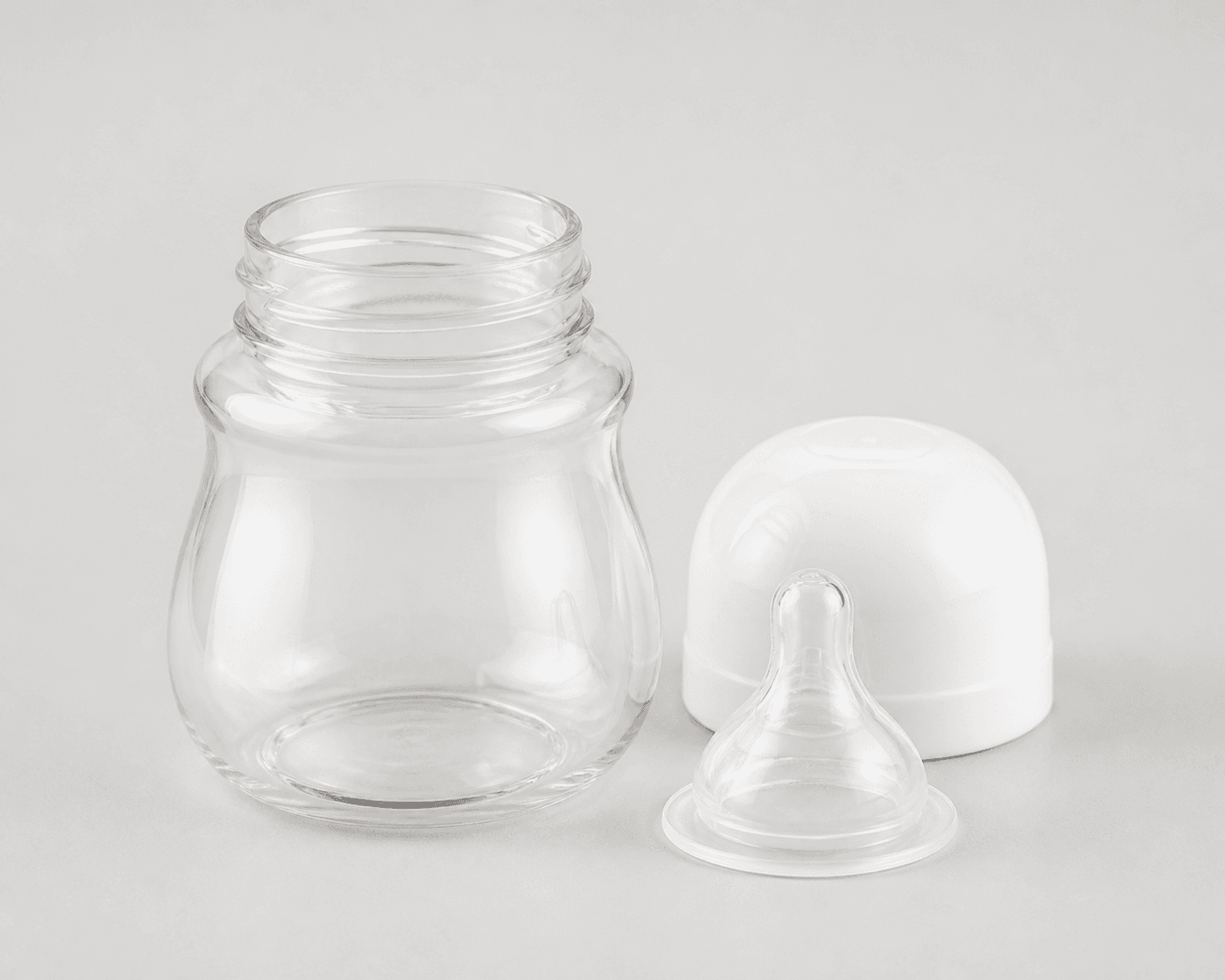
Use the supplied wide-neck baby feeding bottle as the identity anchor, choose Airveek's product-scene studio setup with Goal set to store-listing, and frame one complete bottle with its visible cap, nipple, and parts on a quiet neutral background. Keep the wide threaded neck, clear edges, and white surfaces readable with soft broad light, leave room for a square crop, and compare the source and result at full size and mobile-thumbnail size before export.
Search task: baby bottle clean listing product photo
Written by LIKA
The buyer question
How do I create a clean listing image for this baby bottle while keeping the product identity accurate?
Quick setup
- Goal
- Ecommerce product-page primary image and owned-site catalog
- Output
- 1:1 centered listing crop, 240 × 240 mobile-thumbnail check, Largest useful master before destination-specific resizing
- Goal
- store-listing
- Mode
- product-scene
- Scene
- studio
Example Airveek result
How to create it
1. Upload the two supplied references
Add the supplied baby bottle image as the product input. When the fictional demo brand is shown, add the supplied logo reference as the second input so the exact lowercase morrow wordmark and its two sparkle stars can be placed naturally without inventing another mark.
2. Choose the clean listing setup
In Airveek's product-fashion creator, set Mode to product-scene, Scene to studio, and Goal to store-listing. Keep this job focused on quick whole-product identification; use the lifestyle sibling for held-use context and the detail sibling for close cap, nipple, and neck inspection.
3. Arrange one complete product set
Place one bottle as the hero and keep the supplied white cap, clear nipple, and any visible detached parts close enough to understand but separate enough to read. Preserve the wide threaded neck, bottle silhouette, finish, color, and visible relationships from the reference.
4. Light for clear and white surfaces
Use soft broad studio light with gentle fill and a restrained contact shadow. Keep reflections from washing across the bottle body or nipple, and use enough tonal separation that the white cap and clear edges do not disappear into the background.
5. Paste the bottle-specific prompt
Use the prompt below to hold the visible bottle identity steady while keeping the product dominant. When the demo brand is shown, preserve only the supplied lowercase morrow wordmark with its two sparkle stars and keep every other readable brand text out of the frame.
6. Generate and review before export
Run a fresh listing job from the same bottle and logo references when the workflow is available. Compare the result with the supplied reference at full size, in a centered 1:1 crop, and at 240 × 240. Keep only a frame with the same visible shape and parts, clear product separation, no invented text or claims, and enough margin for the intended crop.
Tested prompt
Use the supplied wide-neck baby feeding bottle reference and the supplied fictional morrow logo reference as the only inputs. Create one clean ecommerce listing photo for one wide-neck baby feeding bottle on a quiet neutral studio background. Preserve the exact visible bottle body, wide threaded neck, white rounded cap, clear nipple, detached parts shown in the reference, finish, color, and product shape. Arrange the complete bottle and visible parts as one clear product set, keep the main bottle dominant, use soft broad even light with a subtle grounding shadow, and leave enough margin for a centered 1:1 crop and a 240 × 240 mobile thumbnail. When the fictional brand is shown, apply only the supplied exact lowercase wordmark "morrow" with its two sparkle stars naturally to the product label, package, or product surface; do not add any other readable text. Do not add a baby, feeding liquid, duplicate bottles, invented dimensions, capacity, material, age, flow-rate, cleaning, health, safety, performance, or promotional claims, watermarks, retailer logos, or promotional overlays.Recorded settings
- Goal
- store-listing
- Mode
- product-scene
- Scene
- studio
Common problems and fixes
Problem: The bottle body or parts disappear into the pale background.
Fix: Use a slightly darker or warmer neutral background, soften the light, and add gentle tonal separation without changing the bottle's visible color or finish. Recheck the white cap and clear nipple at thumbnail size.
Problem: The cap, nipple, or visible parts are hidden or cropped out.
Fix: Separate the parts slightly, keep the full bottle centered, pull back enough for square-safe margin, and reserve tighter inspection for the detail sibling.
Problem: Glare makes the clear bottle body or nipple unreadable.
Fix: Use a larger diffused light source, reduce the hard reflection, and keep a soft edge highlight that describes rather than washes out the product.
Problem: The generated bottle changes shape, finish, color, visible parts, or the supplied mark.
Fix: Compare it with the supplied reference, repeat the identity constraints and exact lowercase morrow mark, and reject the changed result.
Problem: The listing frame adds liquid, a baby, extra bottles, invented text, or unsupported claims.
Fix: Return to one complete bottle on the quiet studio background, remove the added elements, and keep use context, scale, specifications, and safety information in separate verified content.
What to double-check
- The supplied reference establishes visible shape and surface only: a bottle body, wide threaded neck, white rounded cap, clear nipple, and detached parts. It does not establish capacity, dimensions, material composition, flow rate, age guidance, cleaning method, included-pack count, or safety performance.
- A clean listing photo can show the complete product and visible parts clearly. It cannot prove feeding outcomes, leak performance, safety, exact dimensions, or specifications that are not visible.
- No generated listing result is represented here because the available capture is incomplete. Create and inspect a fresh result before using a new image in a product gallery.
- Keep this listing job separate from the lifestyle image for held-use context and relative scale and the detail image for close cap, nipple, and neck inspection.
Why this works
A clean listing image has one job: let a shopper identify the exact bottle quickly. One complete hero bottle, its wide threaded neck, white cap, clear nipple, and visible parts give the frame useful product proof without asking room styling or close-up detail to compete for attention. Soft broad light preserves clear edges and white surfaces, while square-safe framing keeps the same identity in collection views and mobile thumbnails. Held-use context and close inspection belong in the linked sibling jobs.
Before you export
- Compare the result with the supplied reference: bottle body, wide threaded neck, white rounded cap, clear nipple, visible detached parts, finish, color, and product shape should remain consistent.
- Keep one complete bottle dominant on a quiet background, with the cap, nipple, and visible parts arranged clearly rather than hidden behind the hero or cropped away.
- Inspect the full-size image, centered 1:1 crop, and 240 × 240 mobile thumbnail so the bottle silhouette, wide neck, cap, nipple, and visible parts remain identifiable at small size.
- When branding is shown, use the supplied exact lowercase morrow wordmark with both sparkle stars on the product or package and no other readable brand copy or floating overlay.
- Verify capacity, dimensions, materials, included parts, cleaning, feeding, and safety information from product documentation rather than from the image.
Common questions
What should a clean baby bottle listing image show?
Show one complete bottle large enough to identify quickly, with the body, wide threaded neck, white cap, clear nipple, and any visible parts readable. Keep the background quiet and the light controlled so transparent-looking edges and white surfaces do not disappear. Use separate lifestyle and detail images for context, scale, and close inspection.
Should the main listing photo include the cap and nipple beside the bottle?
If those parts are shown in the supplied reference, arrange them near the complete bottle so the visible set is easy to understand without overlapping the hero. Keep the main bottle dominant and use a separate close-up when the cap, nipple, or neck interface needs closer inspection.
Can a listing photo prove the bottle's capacity, material, or safety?
No. The image can show visible shape, color, finish, and part relationships. Capacity, dimensions, material composition, flow rate, cleaning instructions, feeding outcomes, and safety information should come from verified product information for the exact bottle shown.
Where should the morrow mark appear in the demo image?
When the fictional demo brand is shown, use the supplied logo reference on the product label, package, or product surface as the only mark. Keep the exact lowercase morrow wordmark and both sparkle stars together, and do not add other readable brand copy or use the mark as a floating watermark.
Further reading
- Marketplace/category reference — Amazon marketplace reference
- Image link [image_link] - Google Merchant Center Help — Google Merchant Center Help
- The Complete Guide to Ecommerce Photography — Shopify