

Airveek field guide
Wireless Earbuds Lifestyle Product Photo: Show Scale Without Hiding the Case
Use the supplied earbuds image as the identity reference, then place the exact set in a minimal travel-desk or charging-station scene with soft cool light and one clear scale cue. Keep the charging case large in the frame, leave both earbuds and any visible control area unobscured, and make the image easy to read at 240×240. Use a separate close crop for detail and a separate wearing view when one scene cannot show both clearly.
Search task: wireless earbuds lifestyle product photo
Written by LIKA
The buyer question
How do I show this wireless earbuds in a believable setting without hiding its scale or important details?
Your starting product
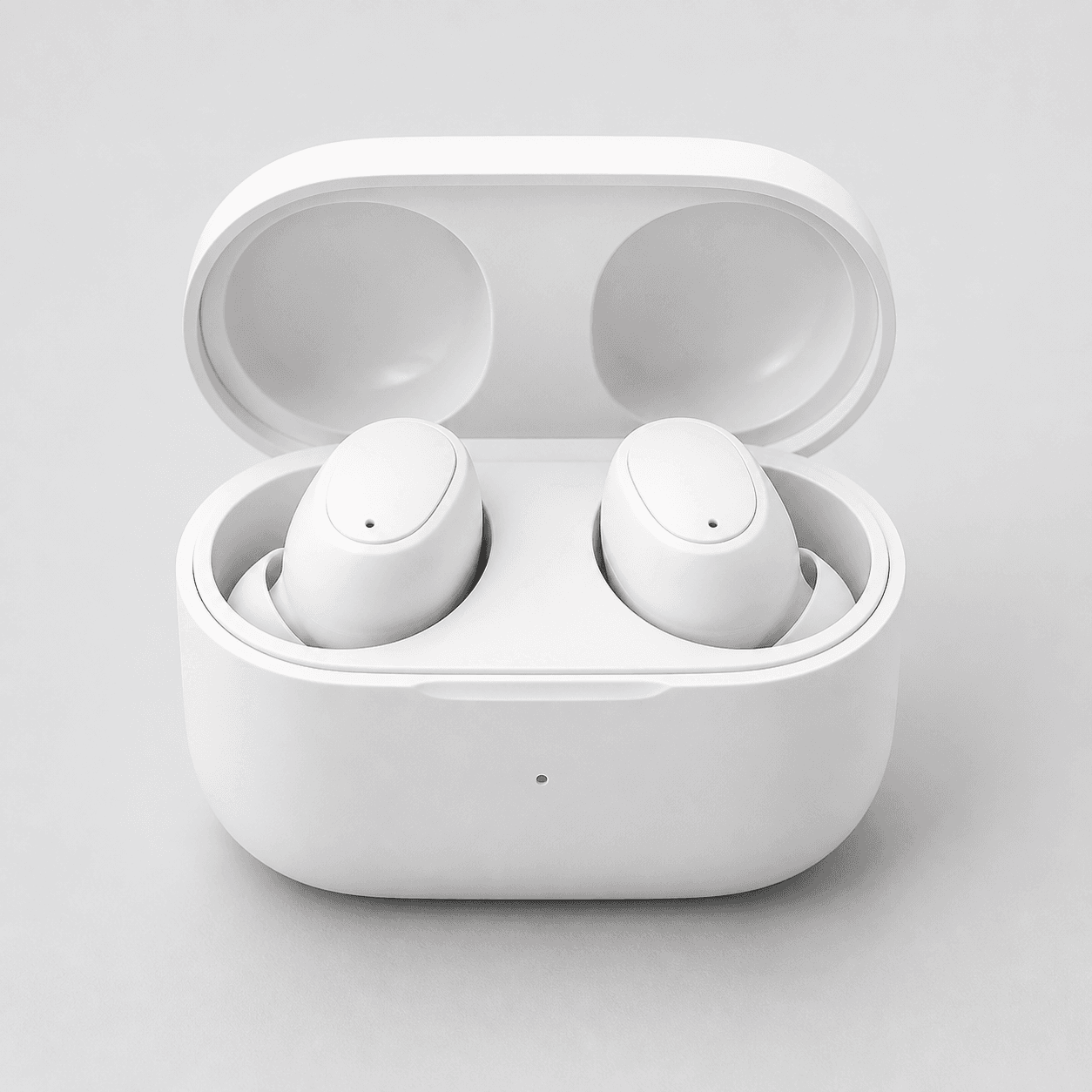
Start with a clear photo that shows the full product and the details shoppers need to see. Keep this reference nearby while you generate, compare, and refine each image.
Quick setup
- Goal
- ecommerce product-page supporting gallery and social crop
- Output
- 1024x1024
- Goal
- social-post
- Mode
- product-scene
- Scene
- lifestyle
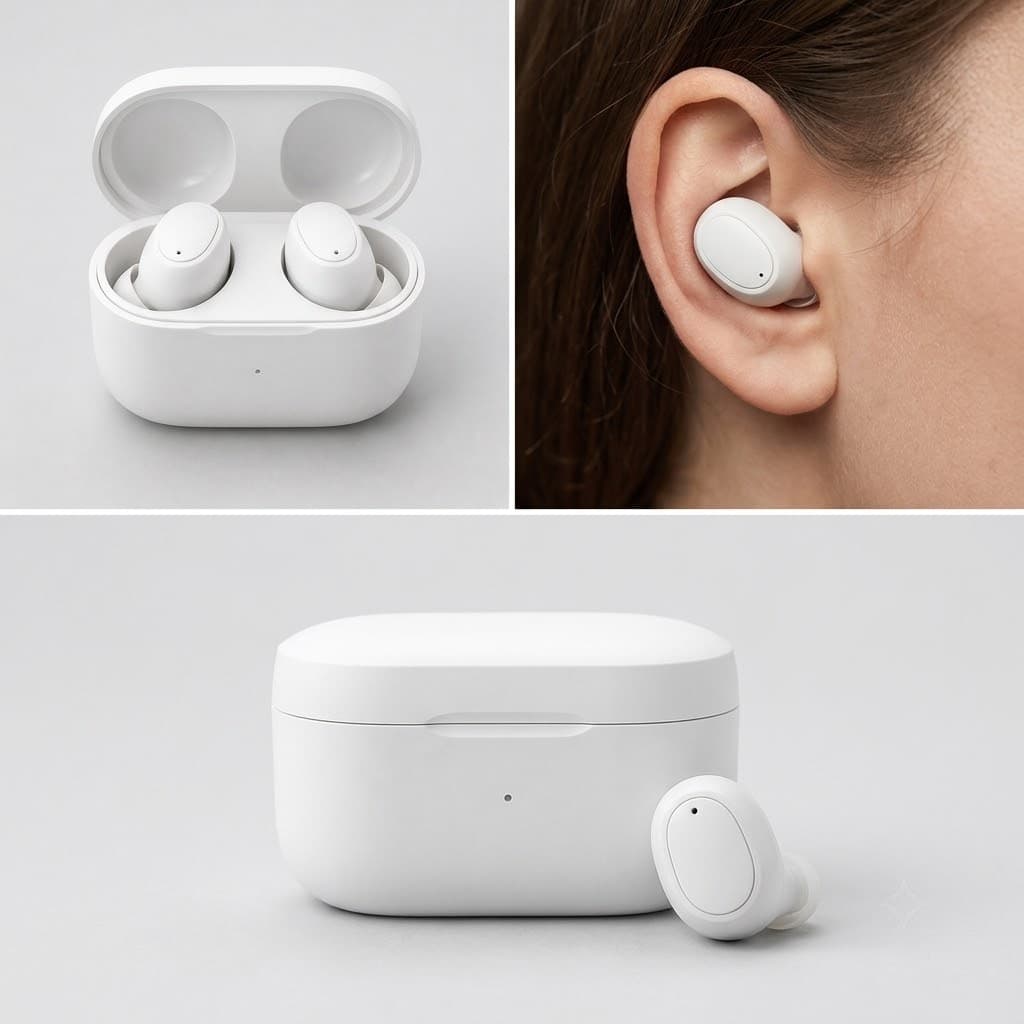
Example Airveek result
How to create it
1. Upload the two supplied references
Use the supplied wireless-earbuds image as the product reference and the supplied MORROW logo image as the second reference. Keep the exact lowercase morrow wordmark and both sparkle stars as the only brand mark, with no other readable copy.
2. Set the lifestyle scene
Choose Mode: product-scene, Scene: lifestyle, and Goal: social-post. Start with a minimal travel desk or charging station, a pale neutral surface, soft cool highlight, restrained props, and a center-safe square crop.
3. Build the scale cue around the product
Keep the open charging case in the foreground and use one simple wearing or hand-scale cue to show how small the set is. Leave the case, both earbuds, and any visible control area easy to inspect; let context support the product instead of becoming the hero.
4. Review before exporting
Compare the result with the supplied source at full size and at 240×240. Check that the case contents, silhouette, color, and visible details still match. Remove any scene that adds a duplicate product, hides the case, or makes the MORROW mark unreadable, then export the square result without enlarging it.
Tested prompt
Use the supplied fictional MORROW logo reference (second input) as the product's only brand mark. Apply the exact lowercase wordmark "morrow" with its two sparkle stars naturally to the product label, package, or product surface; preserve the mark without inventing other words. Create one premium ecommerce lifestyle photo for the supplied small wireless earbuds with charging case. Keep the exact earbuds, case shape, and included parts unchanged. Place it in a minimal travel desk or charging-station scene with a soft cool highlight and one restrained scale cue that helps a shopper understand use without competing with the product. Keep the charging case and both earbuds dominant, unobscured, and easy to crop for mobile. Do not add any other readable text, invented claims, extra products, watermarks, retailer logos, or a plain empty background.Recorded settings
- Goal
- social-post
- Mode
- product-scene
- Scene
- lifestyle
Common problems and fixes
Problem: The earbuds or charging case become too small against the lifestyle background.
Fix: Remove extra props, move the case into the foreground, keep one scale cue, and retest the square image at 240×240 before export.
Problem: The scene hides a buyer-critical area or adds a duplicate loose earbud.
Fix: State the exact included parts and the areas that must remain visible, then compare the output with the supplied source before selecting it.
What to double-check
- A lifestyle frame is a supporting gallery image. Pair it with a clean product-dominant listing frame and a close case/detail frame when shoppers need to inspect the set.
- The supplied reference visibly shows an open case with two earbuds; verify controls, charging behavior, fit, compatibility, battery, dimensions, and other specifications from the actual product information rather than from the image.
- The retained composition example was recorded before the MORROW reference was added. Add the supplied exact lowercase morrow mark and both sparkle stars as the only readable brand mark before using a branded version.
- Inspect the image at full size and 240×240. A small product can disappear when the scene has too many props or the case is cropped too tightly.
Why this works
Small earbuds need a scene that explains scale without turning the image into a prop shot. A close foreground case identifies what is included, a restrained wearing cue makes size intuitive, and the square crop keeps the composition useful on mobile. The listing and detail siblings can then handle clean identification and close inspection separately.
Before you export
- Compare the case silhouette, two-earbud set, color, and visible details with the supplied product reference.
- Check the square image at 240×240: the charging case and wearing cue should still read without a busy background.
- Keep the case and both earbuds unobscured, and reserve any hard-to-see control or fit proof for a separate detail or wearing image.
- Confirm the exact lowercase morrow wordmark and both sparkle stars are preserved, with no other readable text, marks, or overlays.
- Export the 1024×1024 result as the source for mobile or social crops; do not upscale a small thumbnail.
Common questions
Should the case and wearing view be in the same photo?
Use one clear case view and a separate wearing view when a single composition cannot show both without shrinking the product. The lifestyle image should establish context and scale; a close case or detail image should answer what is included and what can be inspected. Shopify's guidance supports varied viewpoints and close-ups for distinct shopper questions, without making a performance claim.
Can a lifestyle photo prove fit, comfort, battery life, or compatibility?
No. A wearing cue can show context and apparent scale, but it cannot establish comfort, fit for every ear, battery life, connectivity, charging behavior, or compatibility. Keep those claims in the product information and use the image to show only the visible product and scene. Match the image to the exact product variant you are presenting.
What should I change when the earbuds disappear in the thumbnail?
Simplify the background, move the case closer to the camera, keep the light soft but directional enough to separate white surfaces, and remove props that compete with the product. Recheck the 240×240 crop. If the case or earbuds still cannot be identified quickly, use a cleaner listing frame and reserve the lifestyle scene for the supporting gallery.
Further reading
- Marketplace/category reference — Amazon marketplace reference
- Image link | Google Merchant Center Help — Google Merchant Center Help
- Shopify product photography workflow — Shopify