

Airveek field guide
Wireless earbuds detail product photo: show the case and visible controls
Use a tight square close-up of the supplied open charging case with both earbuds visible, and give the white surfaces soft side light or gentle gray separation so the lid, case edge, earbud fit shape, front indicator, and any visible control surface read at thumbnail size. Keep the exact two-earbud set and supplied morrow mark unchanged. Treat the detail frame as a close-inspection image; use separate listing and lifestyle frames for fast identification and context.
Search task: wireless earbuds detail product photo
Written by LIKA
The buyer question
Which detail should this wireless earbuds product photo prove before a shopper buys?
Your starting product
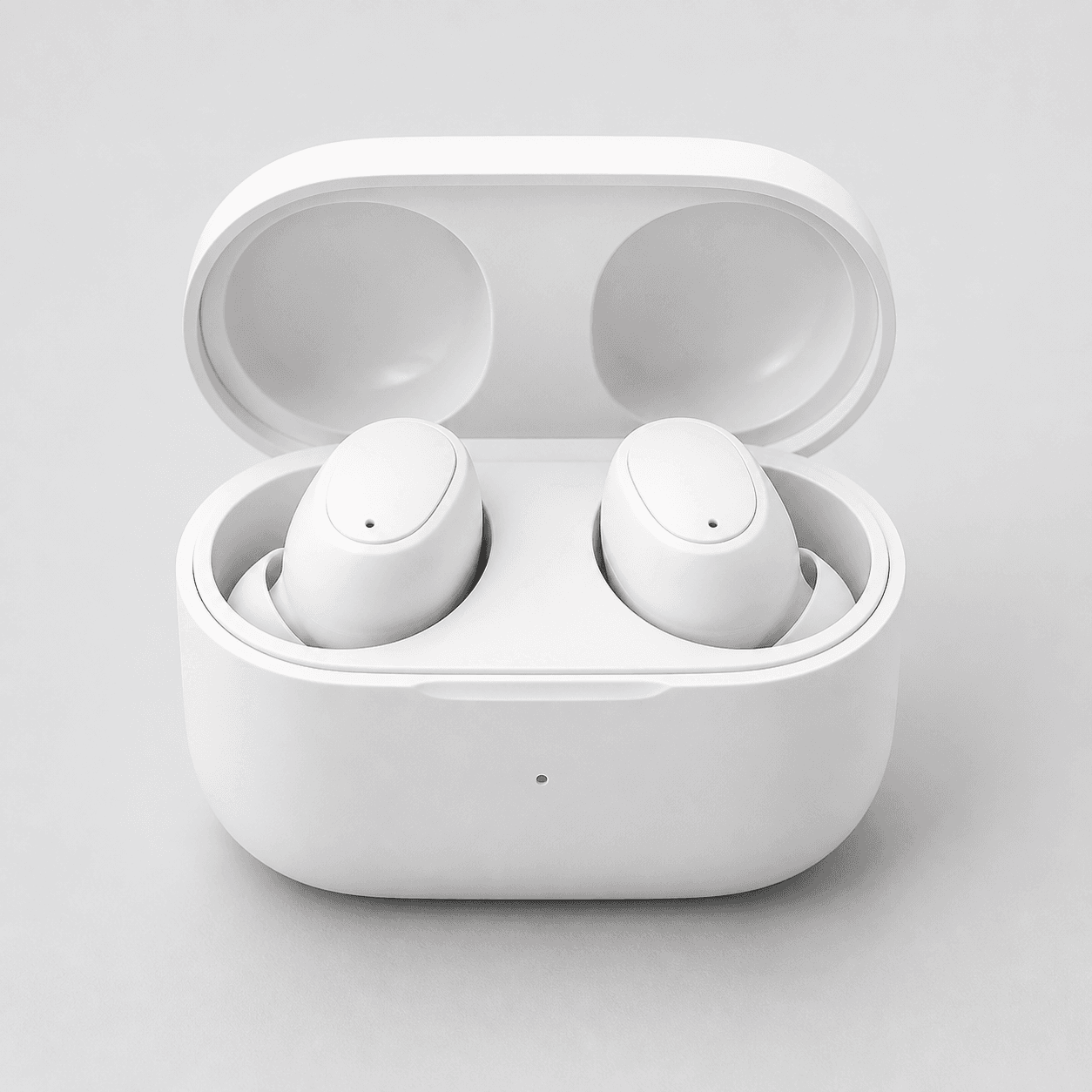
Start with a clear photo that shows the full product and the details shoppers need to see. Keep this reference nearby while you generate, compare, and refine each image.
Quick setup
- Goal
- ecommerce product-page detail gallery
- Output
- 1024x1024
- Goal
- store-listing
- Mode
- product-scene
- Scene
- studio
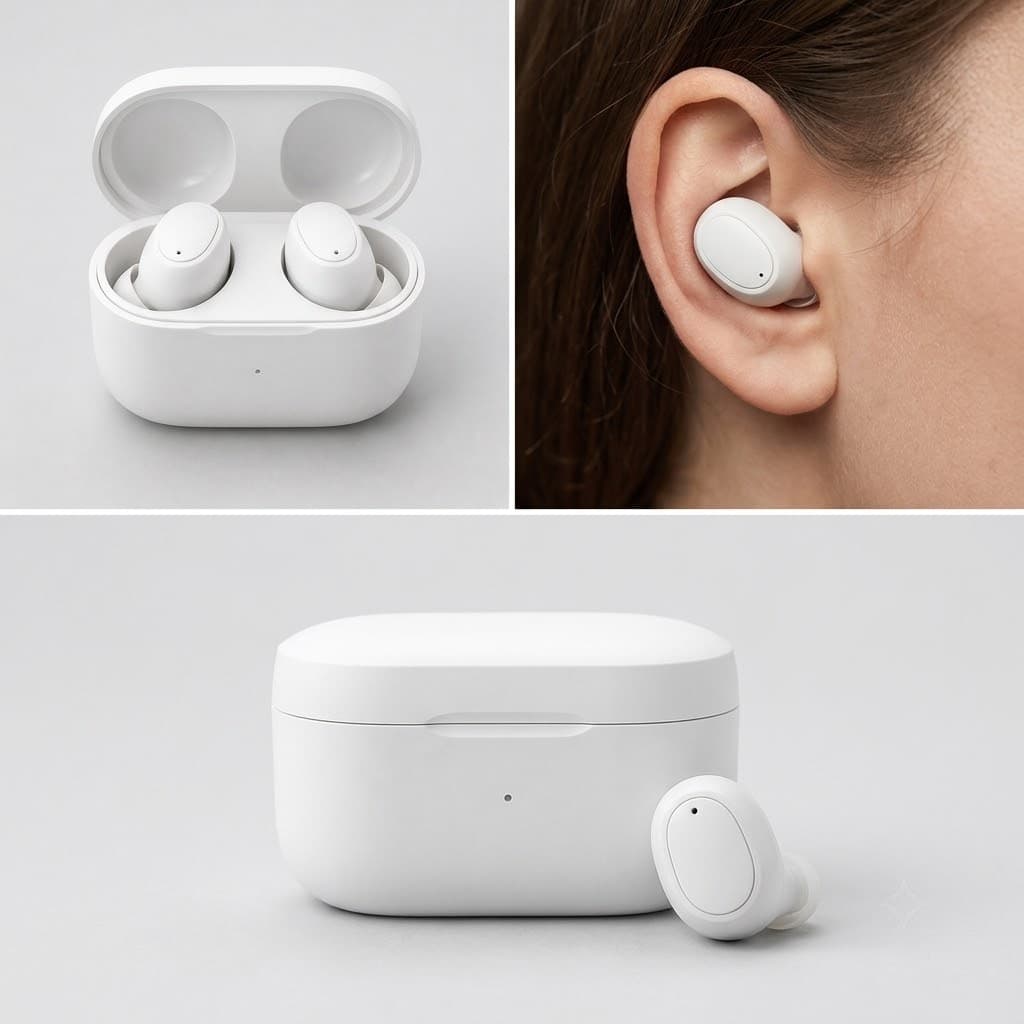
Example Airveek result
How to create it
1. Add the product and logo references
Upload the supplied open-case earbuds image first, then add the supplied logo reference as the second input. Keep the visible identity anchor in view: one white charging case, two matching earbuds, the front indicator, and the original contours.
2. Set the close-detail workflow
Choose Mode: product-scene, Scene: studio, and Goal: store-listing. Use a quiet neutral studio surface and a square composition that leaves enough margin for mobile crops while keeping the small product large in frame.
3. Light the case for inspection
Use soft side light or gentle gray separation to reveal the white case edge, lid opening, earbud contours, and front indicator without tinting the product. Keep the case and both earbuds unobscured, and show only control surfaces that are actually visible in the source.
4. Place the supplied mark carefully
Use the supplied logo reference as the only brand mark. Keep the exact lowercase morrow wordmark and both sparkle stars legible on the case or package, with no other readable brand copy or overlays competing with the buyer detail.
5. Review the crop before export
Compare the result with the source at full size and at a 240 × 240 thumbnail. Check the two-earbud count, case silhouette, visible surfaces, mark placement, and edge clarity. Export the clean square result at 1024 × 1024 when the detail still reads at small size.
Tested prompt
Use the supplied logo reference as the only brand mark. Apply the exact lowercase wordmark "morrow" with its two sparkle stars naturally to the charging case or package, preserving the mark and keeping all other branding absent. Create one close-up ecommerce detail photo for the supplied small wireless earbuds with charging case. Keep the exact open case, two matching earbuds, front indicator, shape, color, and materials unchanged. Show the case opening, both earbuds, earbud fit shape, and only control surfaces visible in the source with controlled commercial light, soft tonal separation, a tight square crop, and mobile-safe margins. Keep the product set singular, sharp, and easy to inspect.Recorded settings
- Goal
- store-listing
- Mode
- product-scene
- Scene
- studio
Common problems and fixes
Problem: A branded detail preview added a third loose earbud outside the charging case.
Fix: Keep the supplied open case, two matching earbuds, and included-parts count explicit in the prompt. Compare the result with the source at full size and at 240 × 240, and select the frame only when the set remains unchanged.
Problem: The white case edge or visible control surface disappears in the close crop.
Fix: Use soft side light or gentle gray separation, simplify the background, move closer to the case, and preserve enough margin for the mobile crop.
What to double-check
- The supplied reference visibly shows an open case with two matching earbuds and a front indicator. Verify controls, fit, charging behavior, battery, connectivity, dimensions, compatibility, and other specifications from the actual product information.
- A detail image can show the case, included earbuds, visible contours, and any control surface that is actually present. It cannot prove comfort, universal fit, charging performance, battery life, or audio performance.
- The selected composition reference predates the supplied morrow logo input and is a three-panel image. Run the current branded detail prompt separately when you need a final single detail frame.
- Use the detail frame for close inspection, the clean listing frame for quick identification, and the lifestyle frame for context and scale. Review the destination's current image requirements before placement.
Why this works
Small earbuds need one clear inspection job. A tight case crop lets a shopper see what is included, how the earbuds sit in the case, and which control surfaces are actually visible. Soft tonal separation keeps white-on-white edges readable, while separate listing and lifestyle images handle fast identification and everyday context without overloading the detail frame.
Before you export
- Compare the case silhouette, two-earbud count, front indicator, color, materials, and visible surfaces with the supplied source.
- Keep the case and both earbuds large enough to inspect, with soft side light or gentle neutral separation defining the white edges.
- Use the close crop for visible case and control detail; keep fit language limited to observable shape rather than comfort or universal-fit claims.
- Preserve the exact lowercase morrow wordmark and both sparkle stars from the supplied logo reference, with no other readable brand text or overlays.
- Check the full-size image and a 240 × 240 thumbnail before exporting the 1024 × 1024 square result.
- Verify product specifications from the actual product information before making claims about battery, charging, connectivity, dimensions, or compatibility.
Common questions
What should a wireless earbuds detail product photo show?
Show the charging case, both included earbuds, the case opening, the earbud fit shape, and any control surface that is actually visible. Keep the frame close enough for inspection but wide enough to preserve the identity of the complete set. The supplied marketplace and product-photography guidance supports clear, accurate views that answer distinct buyer questions.
Can a detail image prove earbud fit, battery life, or charging performance?
No. A close image can show the supplied earbud shape, how the pair sits in the case, and visible control areas. It cannot establish comfort, fit for every ear, battery life, charging reliability, connectivity, or compatibility. Keep those claims tied to the product information for the exact item shown.
Should the detail image replace the clean listing or lifestyle image?
No. Use the clean listing image for quick identification, the detail image for close inspection, and the lifestyle image for context and scale. This separation keeps the case and both earbuds readable in the detail crop while leaving the other frames room to answer their own buyer questions.