

Airveek field guide
Scented Candle Lifestyle Product Photo: Show Mood and Scale
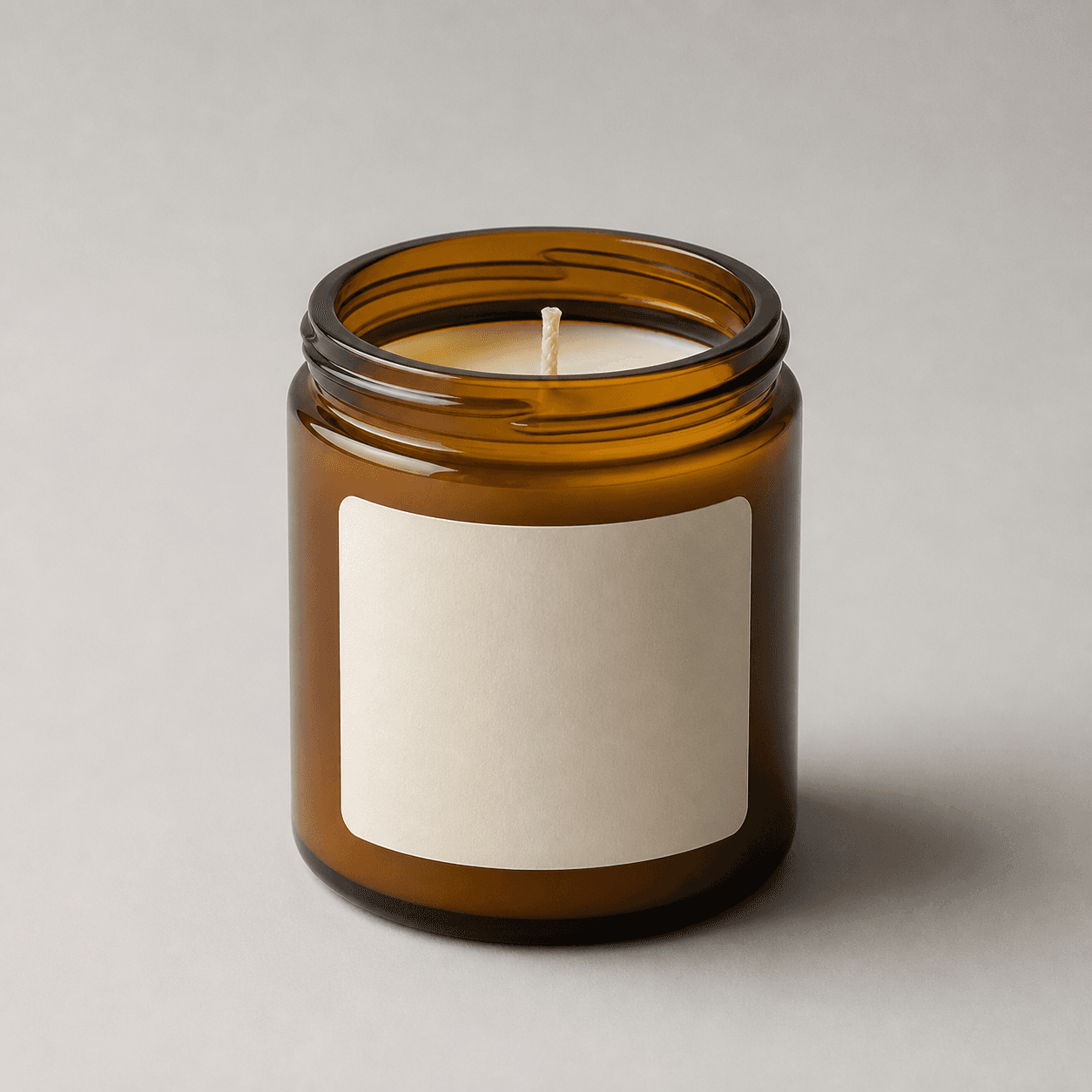
Use the supplied minimal glass jar candle as the identity anchor, then place one complete jar in a calm bedside or living-room scene with warm, soft light and one restrained scale cue. Keep the amber glass, front label, open rim, pale wax, and centered wick visible and sharp. Leave margin for a 4:5 portrait and 1:1 mobile crop, and use separate listing and detail images for clean identification and close inspection.
Search task: How do I show this scented candle in a believable setting without hiding its scale or important details?
Written by LIKA
The buyer question
How do I show this scented candle in a believable setting without hiding its scale or important details?
Quick setup
- Goal
- Ecommerce product-page supporting gallery and social crop
- Output
- 4:5 portrait lifestyle frame, 1:1 centered mobile-safe crop, 240 × 240 mobile-thumbnail check, Largest available master before destination-specific resizing
- Goal
- social-post
- Mode
- product-scene
- Scene
- lifestyle
Example Airveek result
How to create it
1. Upload the two supplied references
Add the supplied candle image as the product reference and the supplied morrow logo image as the second reference when the fictional demo brand is shown. Use the candle to preserve the rounded amber jar, blank label shape, open rim, pale wax, and centered wick. Keep the exact lowercase morrow wordmark and both sparkle stars from the supplied logo reference.
2. Choose the lifestyle setup
In Airveek's product-fashion creator, set Mode to product-scene, Scene to lifestyle, and Goal to social-post. This gives the frame a believable home context and scale cue while leaving clean whole-jar identification to the listing sibling and close jar inspection to the detail sibling.
3. Build a warmer, quieter scene
Use a calm bedside or living-room table, warm neutral surroundings, soft side light, gentle fill, and one unmarked scale cue. Keep background objects low contrast and secondary. Face the label toward the camera and keep the complete jar, open rim, wick, and wax clear before adding any atmosphere.
4. Generate one fresh lifestyle result
Run one fresh lifestyle job from the same candle and logo references when the workflow is available. Select a result only after it preserves the jar geometry, amber color, label position, exact morrow mark, rim, wick, wax, and believable scene without invented text or claims.
5. Review the scene before export
Compare the result with the supplied reference at full size, in a 4:5 portrait crop, in a centered 1:1 crop, and at 240 × 240. Simplify the scene if the jar or label becomes small. Reject glare, altered geometry, hidden rim or wax, extra candles, flame or smoke, or any crop that makes the product hard to identify.
Tested prompt
Use the supplied minimal glass jar candle reference and the supplied fictional morrow logo reference as the only inputs. When branding is shown, apply the exact lowercase wordmark "morrow" with its two sparkle stars naturally on the front label as the only brand mark; do not add other readable text. Create one believable ecommerce lifestyle photo for one scented candle. Preserve the exact rounded cylindrical amber-brown glass jar shape, open rim, pale wax, centered wick, label shape and position, materials, and color. Place the complete jar on a calm bedside or living-room table with warm, soft side light, gentle fill, and one restrained unmarked scale cue. Keep the jar, label, rim, wick, and wax visible, sharp, product-dominant, and easy to crop for 4:5 and centered 1:1 mobile use. Do not add a flame, smoke, invented scent notes, burn time, wax type, dimensions, safety or performance claims, extra candles, other readable text, watermarks, retailer logos, promotional overlays, or a plain empty background.Recorded settings
- Goal
- social-post
- Mode
- product-scene
- Scene
- lifestyle
Common problems and fixes
Problem: The jar or label becomes too small against the room.
Fix: Remove background objects, move the camera closer, keep one scale cue, and retest the 4:5 crop and 240 × 240 thumbnail before export.
Problem: A reflection turns the amber glass or label into a bright patch.
Fix: Use a broader diffuser or move the light off-axis, add gentle fill on the shadow side, and check that the label, rim, wick, and wax remain visible.
Problem: The crop hides the rim, wick, wax, label, or enough jar body to identify the candle.
Fix: Pull back slightly, keep the label facing forward, and preserve margin around the rim and base for both portrait and square crops.
Problem: The result adds a flame, smoke, duplicate candle, changed label, or other product text.
Fix: Repeat the supplied product and logo references, keep the candle unlit for this first direction, and remove every added mark or readable line that is not part of the supplied logo.
Problem: The image implies scent, burn performance, wax chemistry, dimensions, safety, or another unsupported specification.
Fix: Remove badges, rulers, labels, and claims from the scene. Keep specifications in verified product information and use the image only for visible context, scale, and shape.
What to double-check
- The supplied reference establishes the visible amber-brown jar, open rim, pale wax, centered wick, label shape, and visible glass finish. It does not establish scent notes, wax composition, burn time, vessel capacity, dimensions, safety information, or performance.
- A lifestyle photo can show context, apparent scale, and visible product identity. It cannot prove aroma, burn behavior, materials beyond what is visibly shown, safety, or performance.
- The current ECO12 content kit does not contain a complete reviewed lifestyle result. Use the supplied reference for planning, then create and inspect a fresh result before adding generated media to a gallery or campaign.
- Keep this lifestyle job separate from the clean listing frame and the close jar-label-wick-wax detail frame so each image answers one shopper question.
Why this works
The lifestyle job gives the shopper a believable home setting and an intuitive scale cue without asking the room to prove every product detail. The complete amber jar and front label remain the visual anchor, while soft side light and gentle fill describe the glass without washing out the label or wax. The listing sibling can handle fast whole-jar identification, and the detail sibling can handle close inspection of the rim, wick, and wax.
Before you export
- Compare the result with the supplied reference: rounded amber-brown jar, open rim, pale wax, centered wick, label position, and visible glass finish should remain consistent.
- Keep one complete jar dominant and unobscured; use the room and one unmarked object as restrained context for scale, not as competing subjects.
- Inspect the 4:5 portrait crop, centered 1:1 crop, and 240 × 240 mobile thumbnail so the jar, label, rim, wick, and wax still read at small size.
- When branding is shown, use the supplied exact lowercase morrow wordmark with both sparkle stars and no other readable brand copy.
- Verify scent, burn time, wax type, capacity, dimensions, safety, and performance from product information rather than from the image.
Common questions
How much room context belongs in a scented candle lifestyle photo?
Use enough of a bedside or living-room setting to make the moment and relative scale believable, then stop before the room competes with the jar. Keep one complete candle dominant, with the label, rim, wick, and wax visible. A clean listing frame and a close detail frame should handle the jobs that context cannot.
Should I show this candle lit in the lifestyle image?
Start with the candle unlit so the front label, open rim, centered wick, and pale wax remain clear. Add a flame only as a separate test when the actual product direction supports it, and never let flame, smoke, glow, or a tight crop hide the jar identity or imply burn performance that the image cannot prove.
Can a lifestyle photo prove the candle's scent, wax type, burn time, or size?
No. The image can show the visible jar, label, rim, wick, wax surface, and scene context. Scent notes, wax composition, burn time, capacity, dimensions, safety, and performance should come from verified product information rather than from visual inference.
What should I change when the jar disappears in a mobile thumbnail?
Simplify the background, move the candle closer, lower the number of props, and keep one soft light direction that separates the amber glass from the room. Recheck the centered 1:1 crop at 240 × 240. If the label or jar still cannot be identified quickly, use the clean listing image for the thumbnail and keep the lifestyle frame as a supporting image.
Further reading
- Image link [image_link] | Google Merchant Center Help — Google Merchant Center Help
- The Complete Guide to Ecommerce Photography — Shopify
- Marketplace/category reference — Amazon marketplace reference