

Airveek field guide
Scented Candle Product Photography Guide: Build a Complete Set in Airveek
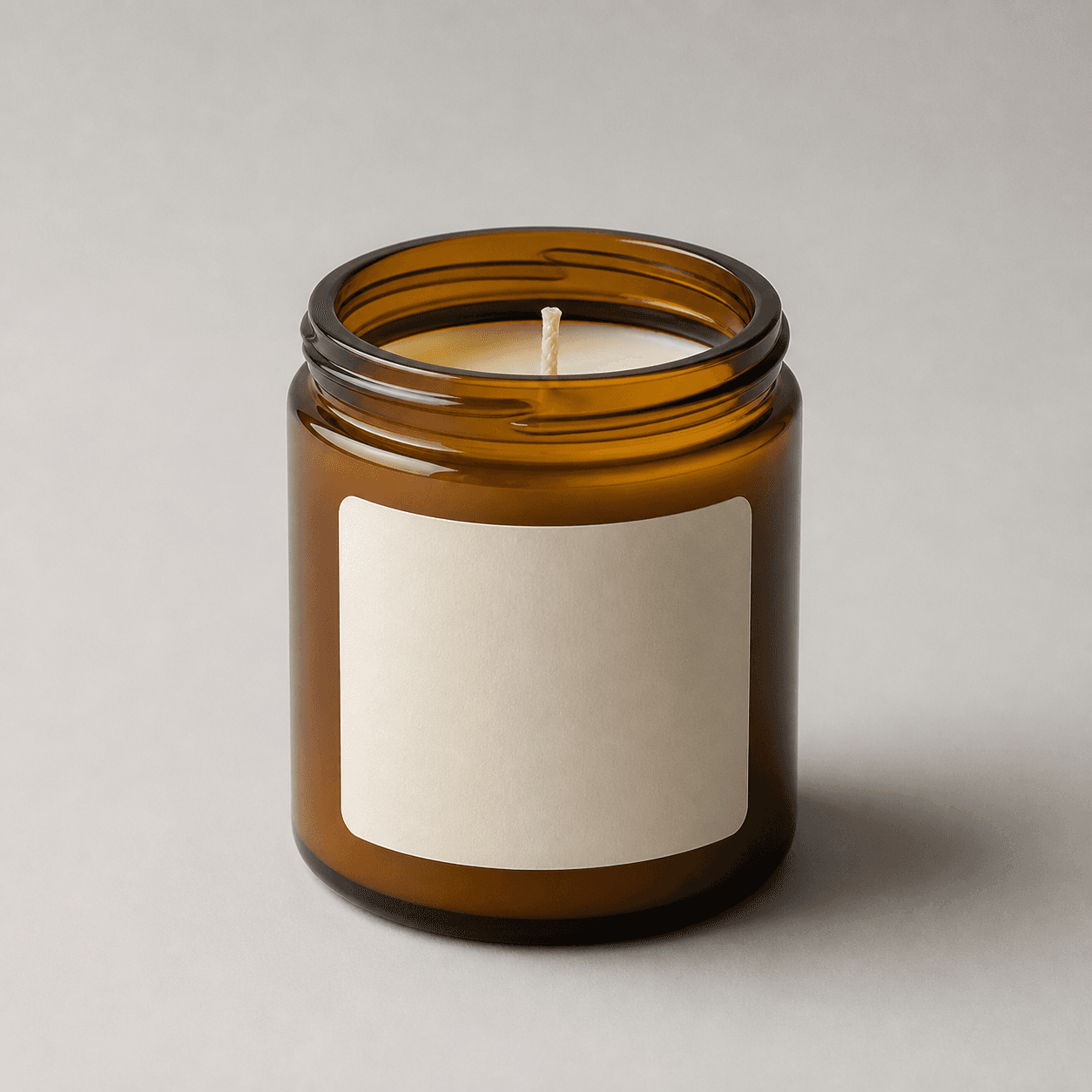
Start with the supplied minimal glass jar candle as the identity anchor, then plan three separate images around three shopper questions: a clean listing frame for the jar and label, a warm lifestyle frame for mood and scale, and a close-up for the wick, wax, rim, and glass. Keep the exact lowercase morrow wordmark and both sparkle stars consistent, preserve the candle’s shape and color, and check every crop at mobile thumbnail size.
Search task: scented candle product photography guide
Written by LIKA
The buyer question
How do I plan a complete product-photo set for this scented candle from one accurate source asset?
Quick setup
- Goal
- Ecommerce product-page image set and merchant-feed planning
- Output
- 1500 × 1500 px square master when possible, 1:1 listing and detail crop, 4:5 lifestyle crop for mobile
- Mode
- product-scene
- Variations
- 1 per job
- Listing goal
- store-listing
- Listing scene
- studio
- Lifestyle goal
- social-post
- Lifestyle scene
- lifestyle
Example Airveek result
How to create it
1. Upload one candle reference and the supplied mark
Add the supplied minimal glass jar candle as the product input and the supplied morrow logo reference as the second input when the fictional demo brand is shown. Use the candle to preserve the rounded amber jar, open rim, pale wax, centered wick, front label shape, glass finish, and complete base. Keep the exact lowercase morrow wordmark and both sparkle stars from the supplied reference.
2. Create the clean listing frame
Choose Mode product-scene, Scene studio, and Goal store-listing. Show one complete jar, centered and label-forward, against a quiet warm-neutral background. Use soft broad light and a restrained contact shadow so the amber glass keeps its shape without a hard reflection across the label or wax.
3. Create a warm lifestyle frame
Run a separate job with Scene lifestyle and Goal social-post. Add only enough calm room context to suggest mood and apparent scale, keeping the candle dominant, upright, unobscured, and easy to crop for mobile. Start from the unlit source state; do not add flame, smoke, or scent-related visual claims that are not supplied.
4. Create the wick-and-wax detail frame
Run a third job with Scene studio and Goal store-listing. Move closer without cropping away the jar identity: show the open rim, centered wick, pale wax surface, amber glass wall, and front label edge. Use controlled light to reveal material and shape, not invented dimensions, ingredients, or features.
5. Compare the set before exporting
Compare every fresh result with the same source at full size, in its 1:1 or 4:5 crop, and as a small mobile thumbnail. Keep only frames that show the same jar geometry, amber color, label position, rim, wick, wax, and supplied mark. Use a square master when possible, then confirm the destination's current format, size, and URL requirements before upload.
Tested prompt
Use the supplied minimal glass jar candle reference and the supplied fictional morrow logo reference as the only inputs. Create a complete ecommerce product-photo set as three separate Airveek jobs: one clean listing photo on a quiet warm-neutral studio background, one restrained lifestyle photo with believable room context, and one close-up detail photo. Preserve the exact rounded cylindrical amber-brown glass jar shape, open rim, pale wax, centered wick, front label shape and position, visible glass finish, and complete base in every job. Keep the jar product-dominant, label-forward, unobscured, and easy to crop for mobile. When the fictional brand is shown, apply only the supplied exact lowercase wordmark "morrow" with its two sparkle stars naturally on the product label or package; do not add any other readable brand text. Do not add a lid, flame, smoke, extra candles, decorative props that hide the product, promotional overlays, watermarks, retailer marks, invented scent notes, burn time, wax type, dimensions, safety claims, or performance claims.Recorded settings
- Mode
- product-scene
- Variations
- 1 per job
- Listing goal
- store-listing
- Listing scene
- studio
- Lifestyle goal
- social-post
- Lifestyle scene
- lifestyle
Common problems and fixes
Problem: The three frames drift into different jar shapes, amber tones, label positions, or wick states.
Fix: Reuse the same candle source in every job, keep the product constraints explicit in each prompt, and compare silhouette, open rim, label, wick, wax, glass, and base before selecting the set.
Problem: Warm styling competes with the candle or hides the front label.
Fix: Reduce the prop count, keep one calm surface, increase separation with soft directional light, and reserve the clean studio frame for the primary listing view.
Problem: The detail crop loses the rim, wick, wax, or enough jar context to identify the product.
Fix: Pull back slightly, preserve margin around the rim and base, use controlled reflections, and let the detail image inspect construction without becoming a different candle.
Problem: The mark becomes warped or the image invents readable label copy.
Fix: Use only the supplied exact lowercase morrow wordmark with both sparkle stars, keep it naturally on the label or package, and remove every other readable line, claim, watermark, or retailer mark.
Problem: The image implies scent, burn performance, wax chemistry, dimensions, safety, or another unsupported specification.
Fix: Remove badges, rulers, scent copy, burn-time text, flame effects, and promotional elements. Keep those claims in verified product information rather than using the image as proof.
What to double-check
- The supplied reference establishes visible shape and surface only: an amber-brown jar, open rim, pale wax, centered wick, and a large light front label. It does not establish scent notes, wax composition, burn time, vessel capacity, dimensions, safety information, or performance.
- A lifestyle scene can suggest context and apparent scale, but it cannot prove the candle's real size, aroma, burn behavior, wax chemistry, or performance. Keep those details in verified product information.
- The available ECO12 capture is incomplete, so this guide uses the supplied reference for planning rather than presenting partial JPEGs or a raw recording as a finished image-set result. Create and inspect fresh listing, lifestyle, and detail results before final gallery use.
- Skip the prop-heavy direction when it makes the label, rim, wick, wax, or silhouette harder to read; the listing, lifestyle, and detail jobs should each have one clear shopper purpose.
Why this works
A complete scented candle set works when each frame earns a different job. The quiet listing view lets a shopper identify the jar and label, the warmer lifestyle view adds mood and apparent scale, and the close detail view gives the rim, wick, wax, and glass room to be inspected. Keeping one source and one exact mark across all three makes the set feel coherent without asking a decorative scene to prove product facts. A prop-heavy room direction is intentionally rejected as the main image because it can make the jar harder to recognize in a small crop.
Before you export
- All three planned jobs use the same source candle and preserve the rounded amber-brown jar, open rim, pale wax, centered wick, label position, glass finish, and complete base.
- The listing image is clean and label-forward, the lifestyle image adds restrained room mood and apparent scale, and the detail image shows the rim, wick, wax, and glass clearly.
- Inspect the full-size image, centered 1:1 or 4:5 crop, and a small mobile thumbnail so the product remains identifiable at each display size.
- When branding is shown, use the supplied exact lowercase morrow wordmark with both sparkle stars on the label or package and no other readable brand copy or floating mark.
- Remove invented scent notes, burn time, wax type, dimensions, safety information, performance claims, extra products, flame, smoke, and props that hide the jar.
- Keep the largest clean master, then verify the destination's current format, size, crawlability, and image-link requirements before export.
Common questions
What should a complete scented candle product-photo set include?
Start with three distinct jobs: a clean whole-jar listing image for quick identification, a restrained lifestyle image for room mood and apparent scale, and a close-up detail image for the rim, wick, wax, glass, and label edge. This keeps each frame useful instead of making three near-duplicates.
Should the main candle image use a room scene or props?
Use a quiet studio frame as the primary listing view: one complete candle, a label-facing composition, and no prop competing with the jar. Add restrained room context in a separate lifestyle image when it helps a shopper imagine the setting or judge apparent scale without hiding the product.
Can a candle product photo prove scent notes, wax type, or burn time?
No. The image can show visible shape, label area, rim, wick, wax surface, color, and glass. Scent notes, wax composition, burn time, capacity, dimensions, safety, and performance should come from verified information for the exact product rather than visual inference.
How do I keep listing, lifestyle, and detail images consistent?
Use the same source candle in all three Airveek jobs, keep the jar and label constraints explicit, and compare every candidate at full size and thumbnail size. Change the scene or crop to answer a new shopper question, but do not change the jar geometry, amber color, label position, open rim, wick, wax, or supplied mark.
Further reading
- Marketplace/category reference — Amazon marketplace reference
- Image link [image_link] - Google Merchant Center Help — Google Merchant Center Help
- The Complete Guide to Ecommerce Photography — Shopify