

Airveek field guide
Insulated tumbler lifestyle product photo: show use at believable scale
Use the supplied tumbler as the identity reference, then place one complete product in a believable everyday setting with restrained props and warm natural light. Keep the body, handle, lid, straw, rim, and supplied morrow mark visible at full size and thumbnail size. Use the lifestyle frame to show context and scale; use separate listing and detail images for clean identification and close inspection.
Search task: insulated tumbler lifestyle product photo
Written by LIKA
The buyer question
How do I show this insulated tumbler in a believable setting without hiding its scale or important details?
Your starting product
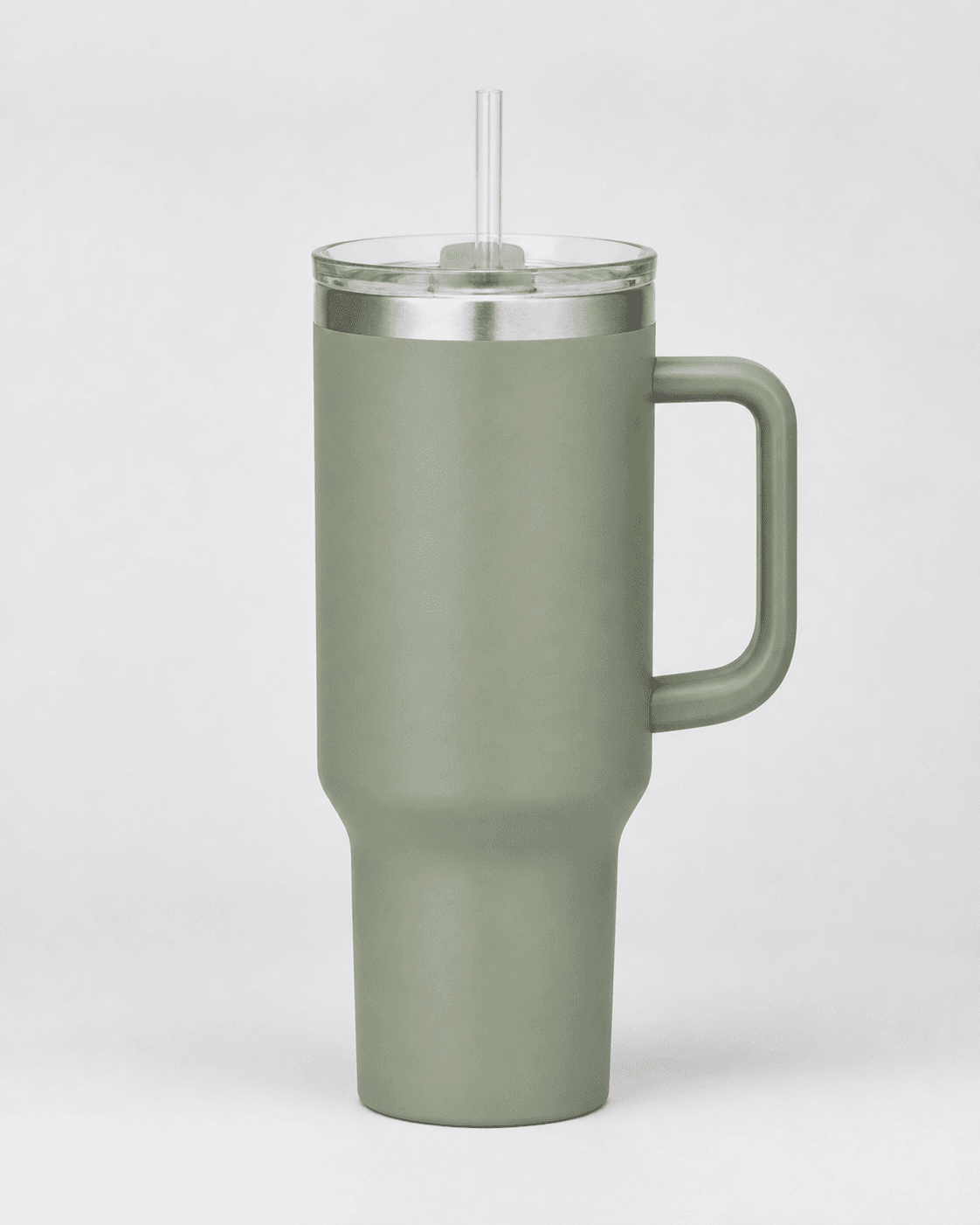
Start with a clear photo that shows the full product and the details shoppers need to see. Keep this reference nearby while you generate, compare, and refine each image.
Quick setup
- Goal
- ecommerce product-page lifestyle gallery
- Output
- 1024x1024
- Goal
- social-post
- Mode
- product-scene
- Scene
- lifestyle
Example Airveek result
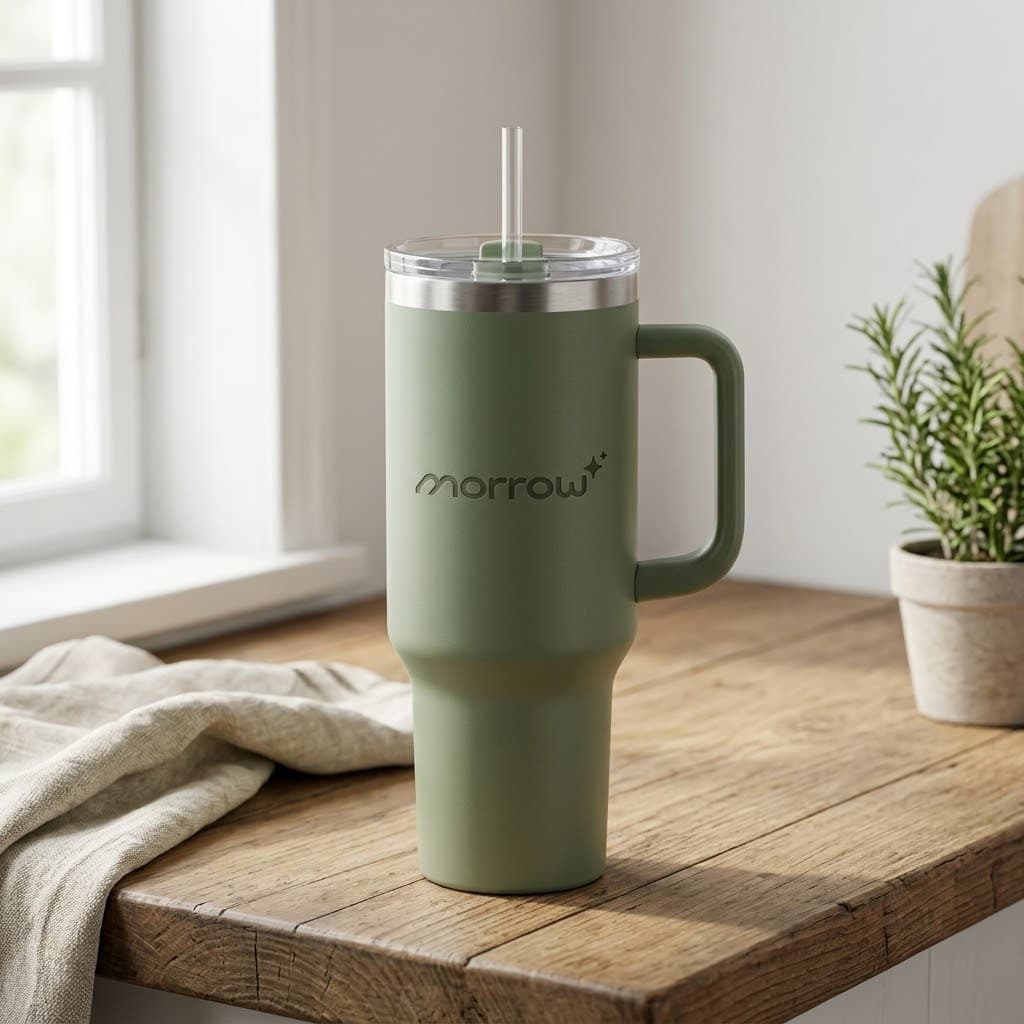
How to create it
1. Select the product and logo references
Use the rights-approved generic-tumbler.png source as the product reference and add the supplied morrow logo as the second input. The source visibly shows one sage handled tumbler with a clear straw, transparent lid, metal rim, and tapered lower body.
2. Set the lifestyle workflow
Choose Mode: product-scene, Scene: lifestyle, and Goal: social-post. Keep the product large enough to read while leaving enough context for scale and a mobile-friendly crop.
3. Describe one believable use setting
Ask for a warm, everyday scene with restrained context, such as a wood table and window light. Keep the tumbler dominant and unobscured, and preserve the exact body, handle, lid, straw, rim, color, and supplied lowercase morrow wordmark with both sparkle stars.
4. Generate, save, and inspect the result
Run one visible generation and wait for the result to save. Compare the full-size output and a 240x240 thumbnail against the source; reject any changed geometry, covered lid or handle, invented text, extra product, or scene that overwhelms the tumbler.
Tested prompt
Use the supplied fictional MORROW logo reference (second input) as the product's only brand mark. Apply the exact lowercase wordmark "morrow" with its two sparkle stars naturally to the product label, package, or product surface; preserve the mark without inventing other words. Create one premium ecommerce lifestyle photo for one insulated tumbler. Keep the exact tumbler shape, handle, lid, and color unchanged. Place it in a believable real-world scene that helps a shopper understand use and scale while keeping the product dominant, unobscured, and easy to crop for mobile. Do not add any other readable text, invented claims, extra products, watermarks, retailer logos, or a plain empty background.Recorded settings
- Goal
- social-post
- Mode
- product-scene
- Scene
- lifestyle
Common problems and fixes
Problem: The first recorded ECO07 detail output changed the supplied clear straw into a solid sage/green straw.
Fix: The output was rejected during human visual review. The detail prompt was rerun with explicit clear-straw, geometry, color, label, and material-preservation constraints; the subsequent independent detail run passed.
What to double-check
- The lifestyle image proves visible context, scale cues, handle, lid, clear-straw, rim, color, and shape cues only; verify capacity, dimensions, insulation performance, leak resistance, materials, and compatibility in product data.
- Generated imagery needs human review for product identity, mark legibility, materials, geometry, scene plausibility, and invented text before use.
Why this works
The lifestyle job gives the shopper the missing context: what the tumbler looks like in an everyday setting and how large it feels relative to nearby objects. The recorded result keeps one tumbler dominant, with the handle, lid, clear straw, rim, and supplied mark visible. The separate listing and detail runs preserve the distinction between identification, context, and close inspection.
Before you export
- Compare the lifestyle result with the supplied source: handle, lid, clear straw, rim, sage color, and lower-body shape must remain consistent.
- Keep one tumbler as the visual hero; use restrained context for scale without covering the lid, opening, handle, or product surface.
- Inspect the result at full size and at a 240x240 thumbnail so the product, handle, and lid still read.
- Use the independent clean listing and detail runs as separate jobs rather than treating the lifestyle scene as a replacement for either one.
- Verify capacity, physical dimensions, materials, insulation, leak resistance, and fit from actual product specifications before publishing claims.
Common questions
How much context should a lifestyle tumbler photo include?
Include enough everyday context to give a believable scale cue, but keep one complete tumbler dominant and unobscured. A sparse wood-table or desk setting with soft natural light is easier to crop and keeps the handle and lid readable. The supplied Shopify guidance supports clear framing and angles that answer distinct buyer questions; it does not promise a performance lift.
Can a lifestyle image prove the tumbler's exact size or 40 oz capacity?
No. The scene can provide visual proportions and the brief identifies the product as a 40 oz handled travel tumbler, but an image alone does not verify capacity or physical dimensions. Keep those claims tied to the product specification and use the lifestyle frame for visible context and shape.
Should a lifestyle photo replace the clean listing image?
No. Use the clean listing image for quick product identification, the lifestyle image for context and scale, and the separate detail image for handle and lid inspection. The supplied Google Merchant Center guidance emphasizes clear, accurate imagery and the correct product variant; it is not a blanket approval for every marketplace placement.
Further reading
- Shopify product photography workflow — Shopify
- Platform image requirement — Google Merchant Center Help
- Marketplace/category reference — Amazon marketplace reference