Airveek field guide
Dog Harness Product Photo Prompt for a Consistent Airveek Set
Use the supplied adjustable dog walking harness as the identity reference and the supplied fictional morrow mark as the second input. Run three separate Airveek prompt blocks: a flat studio listing for the whole silhouette, a worn-dog lifestyle frame for context and scale, and a close detail for straps, adjusters, buckles, and the back D-ring. Keep the black product unchanged, check 1:1 and 4:5 crops plus a 240 × 240 thumbnail, and reserve fit claims for verified instructions.
Search task: dog harness product photo prompt
Written by LIKA
The buyer question
What tested Airveek prompt can I use to create a consistent dog harness product-photo set?
Quick setup
- Goal
- Ecommerce product-photo set
- Output
- 1:1 listing master, 4:5 lifestyle master or crop, 1:1 detail master, 240 × 240 mobile-thumbnail review
- Goal
- store-listing
- Mode
- product-scene
- Scene
- studio
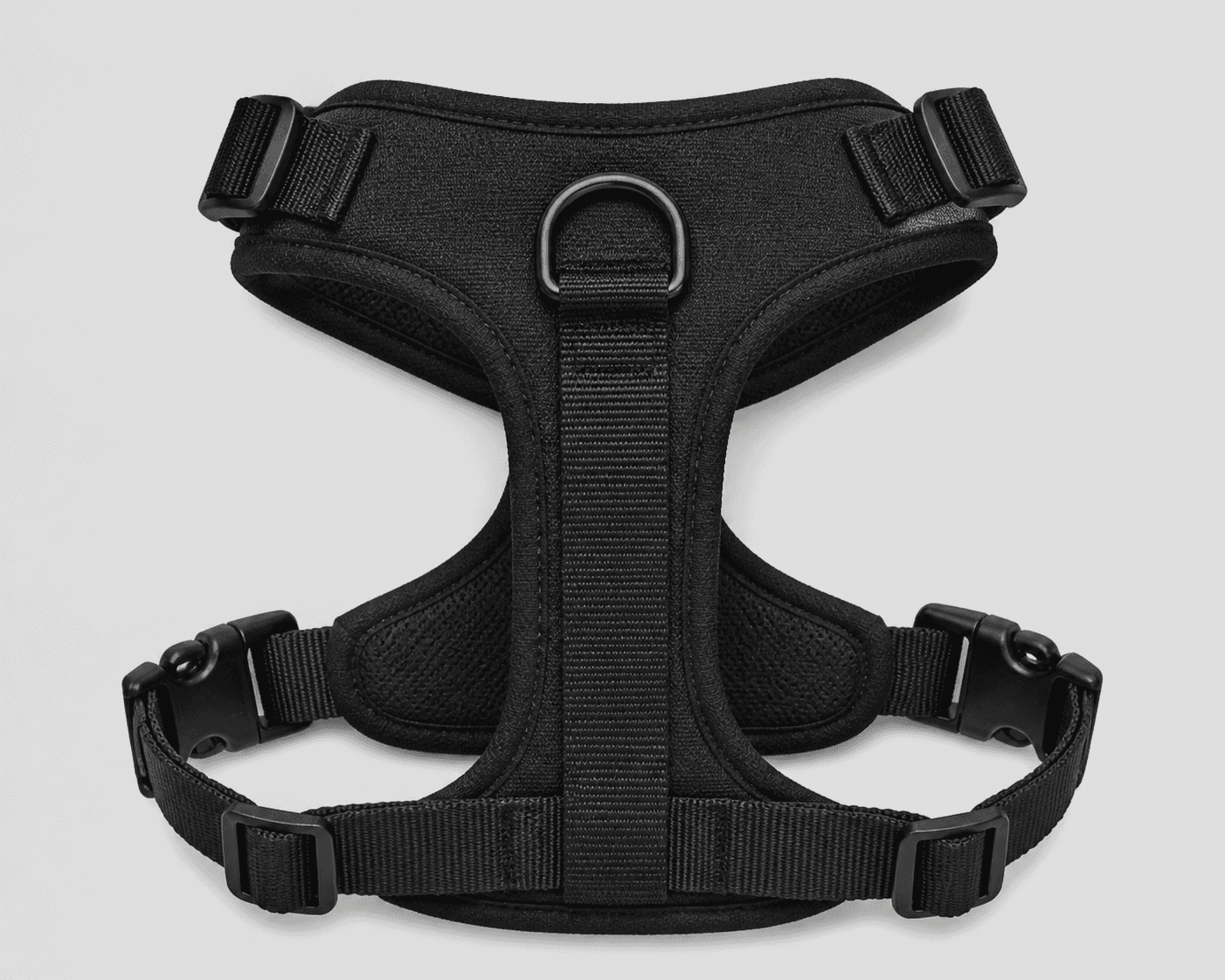
Example Airveek result
How to create it
1. Add the two supplied references
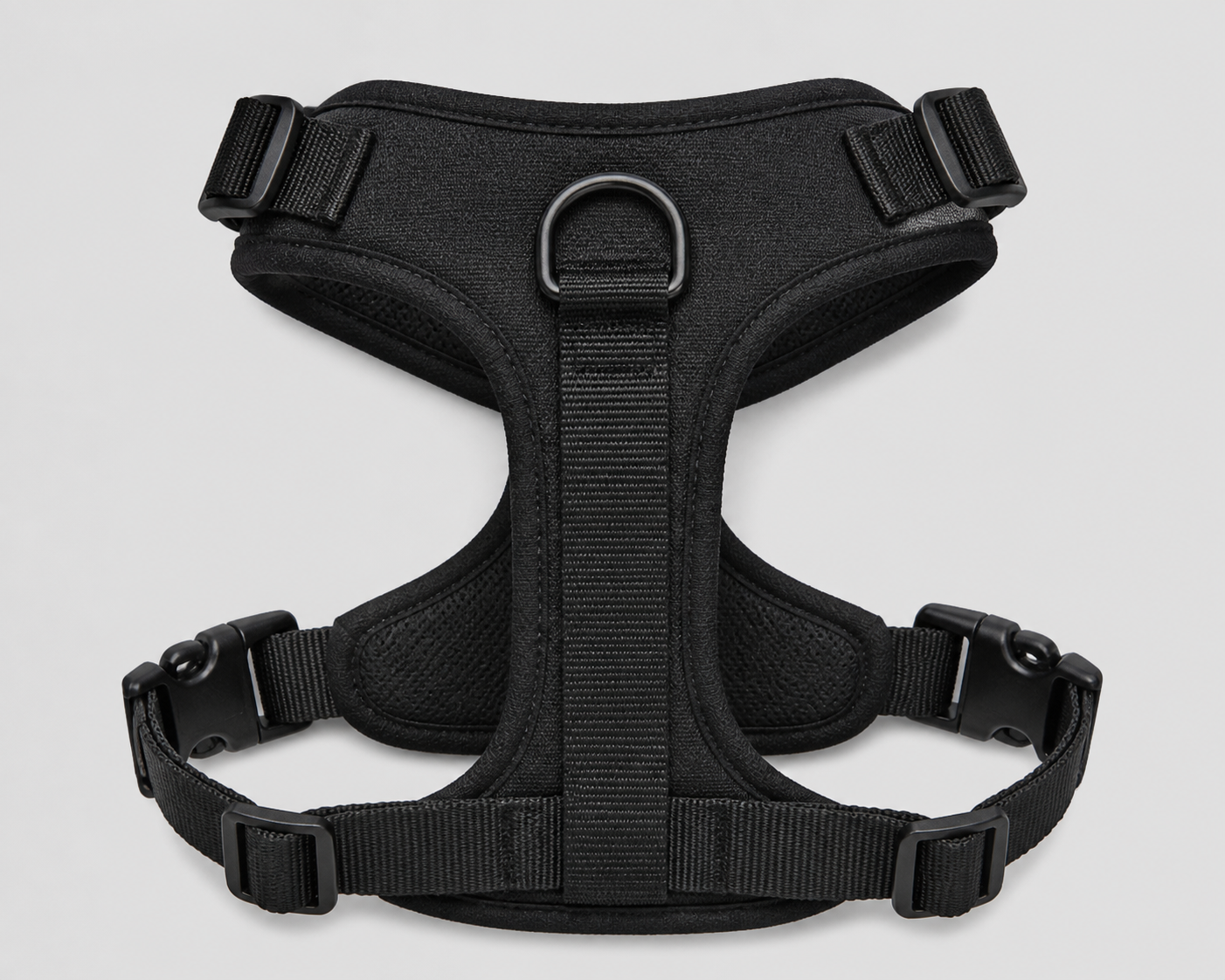
Upload generic-dog-harness.png as the identity reference and public/images/morrow/morrow-logo.png as the second input. Keep the visible black harness silhouette, broad padded body, webbing paths, two upper adjusters, two lower buckles, lower adjustment hardware, and centered back D-ring consistent with the supplied image.
2. Run the clean listing block
Open Airveek's product-fashion creator and choose product-scene, studio, and store-listing. Run the listing prompt as its own job with one complete harness on a quiet neutral background. This frame answers what the product is before the supporting frames answer how it is worn or assembled.
3. Run the worn-use lifestyle block
Start a separate job with product-scene, lifestyle, and social-post. Use one standing dog only as a scale and context cue. Keep the harness's black body, straps, adjusters, buckles, lower hardware, and D-ring visible rather than letting fur, leash, or scenery cover them.
4. Run the strap-and-clip detail block
Start a third separate job with product-scene, studio, and store-listing. Make the visible straps, upper adjusters, lower buckles, lower adjustment hardware, padded edges, and centered D-ring large enough to inspect, while retaining enough of the full silhouette to connect the crop to the same harness.
5. Check identity and the supplied mark
Compare all three results with the supplied harness reference. Confirm that the shape, black appearance, webbing, padded body, hardware, and strap layout have not changed. When branding is shown, confirm the exact lowercase morrow wordmark and both sparkle stars stay together and no other readable brand text appears.
6. Review crops before export
Inspect each result at full size, in its intended 1:1 or 4:5 crop, and at a 240 × 240 mobile thumbnail. Keep the largest clean master, then confirm the destination's current pixel, file-format, background, and metadata requirements before export.
Tested prompt
Run each block below as its own labelled Airveek generation job, keeping the supplied harness reference and supplied morrow logo reference as the same two inputs.\n\nLISTING PROMPT\nUse the supplied fictional morrow logo reference as the second input. Place the exact lowercase wordmark "morrow" with its two sparkle stars together naturally on a product surface or package when shown, and do not invent other readable brand text. Create one clean marketplace-safe listing photo for one adjustable dog walking harness. Keep the exact visible black harness identity unchanged: broad padded body, webbing straps, two upper side adjusters, two lower side buckles, lower adjustment hardware, and centered back D-ring. Use a quiet neutral studio background, make the complete harness the clear hero, and keep every visible strap and hardware edge sharp. Do not add other readable text, invented dimensions, fit or safety claims, extra products, duplicate harnesses, watermarks, retailer marks, or promotional overlays.\n\nLIFESTYLE PROMPT\nUse the supplied fictional morrow logo reference as the second input. Place the exact lowercase wordmark "morrow" with its two sparkle stars together naturally on a product surface or package when shown, and do not invent other readable brand text. Create one premium ecommerce lifestyle photo for one adjustable dog walking harness. Keep the exact visible black harness identity unchanged: broad padded body, webbing straps, two upper side adjusters, two lower side buckles, lower adjustment hardware, and centered back D-ring. Show the harness worn by one standing dog in a quiet walking setting from a natural side-to-rear three-quarter view, using the dog only for context and apparent scale. Keep the harness large, sharp, unobscured, and easy to crop for 4:5 and 1:1 mobile formats. Do not add other readable text, invented dimensions, fit or safety claims, extra products, watermarks, retailer marks, promotional overlays, or a plain empty background.\n\nDETAIL PROMPT\nUse the supplied fictional morrow logo reference as the second input. Place the exact lowercase wordmark "morrow" with its two sparkle stars together naturally on a product surface or package when shown, and do not invent other readable brand text. Create one close ecommerce detail photo for one adjustable dog walking harness. Preserve the exact visible black harness identity, materials as shown, strap layout, padded body, two upper side adjusters, two lower side buckles, lower adjustment hardware, and centered back D-ring. Frame the close view so the selected straps and clips are large enough to inspect while enough of the harness remains visible to connect the detail to the whole product. Use controlled soft commercial light with gentle fill and a quiet neutral background. Do not add other readable text, invented dimensions, features, fit or safety claims, extra hardware, extra products, watermarks, retailer marks, or promotional overlays.Recorded settings
- Goal
- store-listing
- Mode
- product-scene
- Scene
- studio
Common problems and fixes
Problem: The black harness reads as one dark shape and the webbing blends into the padded body.
Fix: Add soft directional light with gentle fill, keep a quiet neutral background, and adjust exposure for tonal separation without changing the harness's visible black appearance.
Problem: An upper adjuster, lower buckle, strap end, lower adjustment point, or centered D-ring is clipped or hidden.
Fix: Widen the composition, move the complete harness toward the center-safe area, and leave margin around the silhouette before checking the square or 4:5 crop and mobile thumbnail again.
Problem: The dog, leash, fur, scenery, or styling competes with the harness in the lifestyle block.
Fix: Reduce the scene to a quiet walking context, keep the harness on the visible side, and move placement and scale cues into the background so the product stays dominant and unobscured.
Problem: The supplied mark is distorted or extra words appear.
Fix: Re-add the supplied logo reference, keep the exact lowercase morrow wordmark and both sparkle stars together on a product surface or package when shown, and remove every other readable word or floating mark.
Problem: The image is treated as proof of a universal fit, safety, strength, comfort, durability, or performance claim.
Fix: Use the image to show visible product identity, adjustment areas, and context only. Tie exact fit and performance statements to verified information for the specific harness.
What to double-check
- The supplied reference visibly shows the black harness, padded body, straps, adjusters, buckles, lower adjustment hardware, and centered D-ring. It does not establish exact dimensions, size range, strength, comfort, durability, safety, or performance.
- A product image can show visible construction and placement context, but it cannot prove that the harness fits every dog. Use the specific product's verified measurements and fitting instructions for that decision.
- No finished generated result is shown in this draft. The available ECO14 capture predates the supplied morrow logo reference and was one combined three-variation attempt rather than separate listing, lifestyle, and detail jobs. Run and review fresh matching jobs before treating generated images as final.
- Keep the listing frame flat and product-dominant. Reserve worn-dog context for the lifestyle block and close strap-and-hardware inspection for the detail block.
- Keep the largest clean export and confirm the destination's current image dimensions, file format, background, and metadata requirements before use.
Why this works
A harness has several visible decision points, so one overloaded image makes the shopper work too hard. The flat listing block establishes the complete product, the worn-dog block provides context and apparent scale, and the detail block makes the straps, adjusters, buckles, lower hardware, and D-ring inspectable. Keeping the same supplied identity references across all three blocks creates a coherent set without turning an image into proof of universal fit or performance.
Before you export
- Compare every result with the supplied harness reference and preserve the visible black appearance, complete silhouette, padded body, webbing, adjusters, buckles, lower hardware, and centered D-ring.
- Use one complete harness as the hero and keep every visible strap and hardware point inside the crop-safe area.
- Use soft directional light with gentle fill so black webbing separates from the padded body without a gray cast or buckle glare.
- Inspect the full-size image, intended 1:1 or 4:5 crop, and 240 × 240 mobile thumbnail for harness identity and hardware visibility.
- When branding is shown, use only the supplied exact lowercase morrow wordmark with both sparkle stars together and no other readable brand text.
- Use verified product information for exact size, fit, safety, strength, comfort, durability, and performance statements.
Common questions
Why use three separate prompts instead of one combined dog harness image?
Each block has a different job: the flat listing frame identifies the complete harness, the worn-dog frame adds context and apparent scale, and the close frame makes straps, clips, adjusters, lower hardware, and the D-ring easier to inspect. Keeping them separate also lets you crop each image for its intended placement without shrinking every proof point into one collage.
Should the main product image show the harness on a dog?
Use the clean flat harness as the primary identification frame, then use the worn-dog scene as a supporting image for context and apparent scale. Keep the harness itself dominant and unobscured in either frame; a dog-wearing image can show placement, but it cannot establish a universal fit.
Which harness details should the close-up prompt make visible?
Keep the webbing paths, broad padded body, two upper side adjusters, two lower side buckles, lower adjustment hardware, and centered back D-ring readable. The supplied reference shows those visible cues; use the specific product's verified information for anything beyond what the image can show, such as exact size range, fit, safety, or performance.
How do I check a harness prompt result before exporting it?
Compare the result with the supplied reference at full size, then check the intended 1:1 or 4:5 crop and a 240 × 240 thumbnail. Reject it if the silhouette changes, a strap or buckle disappears, the black materials merge into one shape, the dog or scenery hides the harness, or any readable mark is distorted or joined by extra text.
Further reading
- Supplied generic dog-harness reference — Airveek supplied reference
- Image link [image_link] - Google Merchant Center Help — Google Merchant Center Help
- Additional image link [additional_image_link] - Google Merchant Center Help — Google Merchant Center Help
- The Complete Guide to Ecommerce Photography — Shopify
- Photography Workflow: How to Plan, Shoot, and Edit — Shopify
- How do I properly photograph complex products like a dog harness? — Reddit r/productphotography discussion
- Good fitting harness? — Reddit r/dogs discussion
- How to Fit the PetSafe Comfort Harness on Your Pet — PetSafe Support
- Marketplace/category reference — Amazon marketplace reference