

Airveek field guide
Throw Blanket Detail Product Photo: Show the Weave and Edge Clearly
A useful throw blanket detail product photo should prove the weave and finished edge without changing the blanket’s true color. Use the supplied soft textured throw blanket as the identity reference, add the supplied lowercase morrow mark with two sparkle stars as the only brand treatment, and create a close, square-safe crop under soft side light. Pair it with a wider room view for scale; use verified measurements for exact size.
Search task: throw blanket detail product photo
Written by LIKA
The buyer question
Which detail should this throw blanket product photo prove before a shopper buys?
Quick setup
- Goal
- Ecommerce product gallery detail image
- Output
- 1:1 square-safe crop, 240 × 240 mobile-thumbnail check, Largest useful export before destination-specific resizing
- Goal
- store-listing
- Mode
- product-scene
- Scene
- studio
Example Airveek result
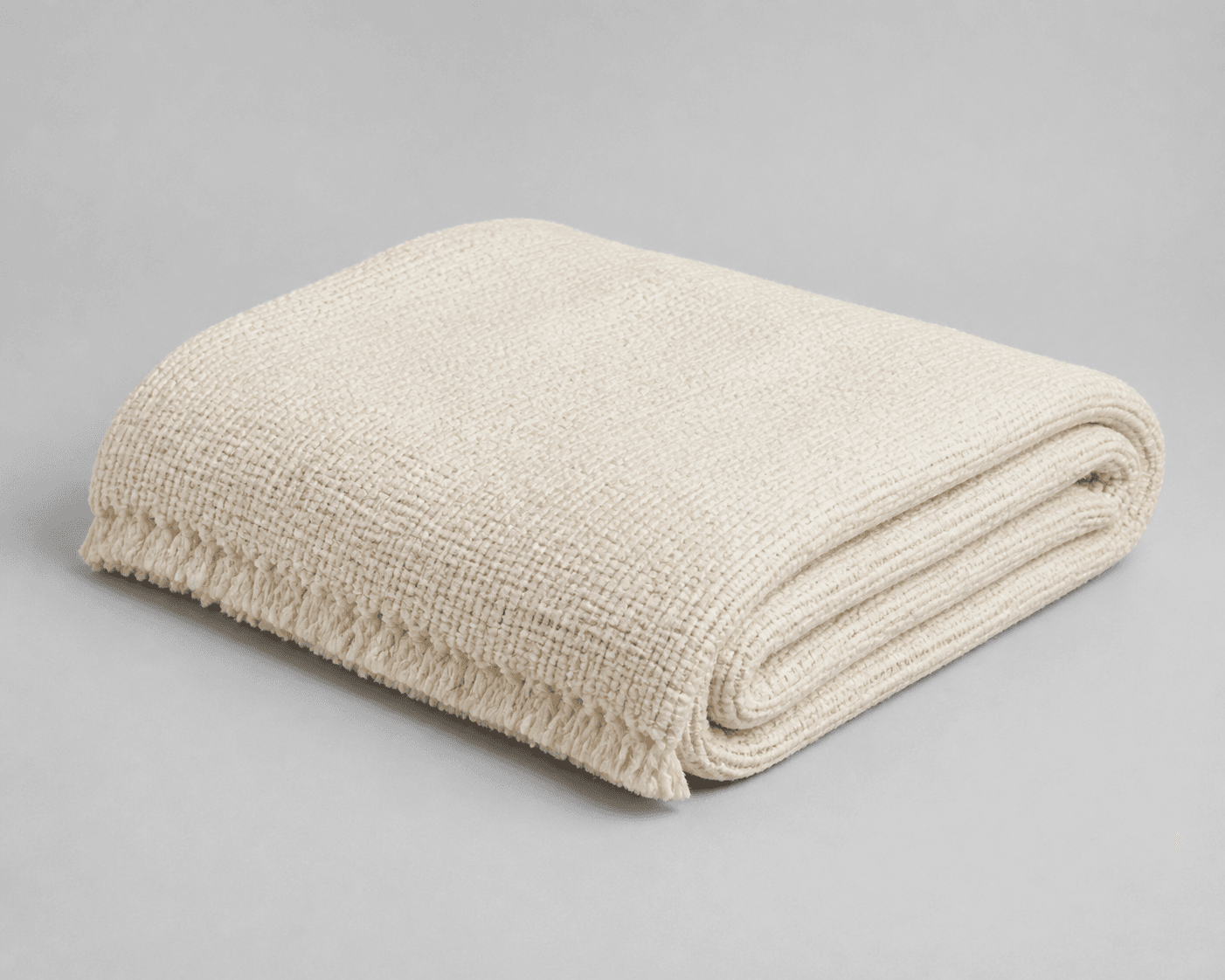
How to create it
1. Add the two supplied references
Upload the throw blanket image as the identity anchor. Add the supplied logo reference as the second input so the exact lowercase morrow wordmark and its two sparkle stars can be placed naturally without inventing another mark.
2. Choose the detail job
In Airveek’s product-fashion creator, start with Mode: product-scene, Scene: studio, and Goal: store-listing. Keep this job focused on the weave and finished edge; use the listing and lifestyle siblings for full-product identification and room context.
3. Lock the blanket identity
Keep the visible color, woven texture, fold, fringe edge, and any label aligned with the reference. The useful change is the camera distance and light, not the product’s material, geometry, or markings.
4. Light for texture, not glare
Use soft directional light from the side to create gentle relief across the weave. Keep the background quiet and the crop close enough to show fibers and fringe while leaving enough context to recognize the complete blanket.
5. Check full size and mobile scale
Compare the result with the supplied reference at full size and in a 240 × 240 thumbnail. Confirm that the weave, finished edge, color, and exact morrow mark remain readable, with no invented text or covered buyer detail.
6. Pair it with a wider scale view
Use the close image for texture proof and a separate folded, draped, or in-room image for visual scale. Do not use the close crop to imply exact measurements; keep verified dimensions in the product information.
Tested prompt
Use the supplied soft textured throw blanket reference as the identity anchor and the supplied fictional MORROW logo reference at public/images/morrow/morrow-logo.png as the second input. Preserve the exact blanket color, woven texture, folded geometry, finished fringe edge, and any visible label. Apply the exact lowercase wordmark "morrow" with its two sparkle stars naturally to the product label, package, or product surface; preserve only that mark and invent no other readable brand text. Create one close-up ecommerce detail product photo that proves the weave and finished edge. Keep enough of the blanket visible to connect the crop to the full product, use controlled soft side light, a quiet neutral background, restrained styling, and a square-safe crop for mobile thumbnails. Keep fibers, edge, and color sharp. Do not invent dimensions, fiber content, warmth, care, claims, extra products, watermarks, retailer logos, promotional overlays, or any other readable text.Recorded settings
- Goal
- store-listing
- Mode
- product-scene
- Scene
- studio
Common problems and fixes
Problem: The weave looks flat or disappears into the background.
Fix: Move to soft side light, lower the background contrast, and keep the crop close enough for the raised texture to read without harsh hotspots.
Problem: The fringe edge is clipped or hidden by the crop.
Fix: Pull back slightly, leave breathing room around the finished edge, and keep the edge inside the square-safe area.
Problem: The blanket shifts in color, texture, fold, or label detail.
Fix: Reuse the supplied blanket reference, repeat the identity constraints, compare at full size and mobile scale, and reject any result that no longer matches.
Problem: Warm styling changes the perceived color.
Fix: Use a restrained neutral setting and controlled light, then compare the result beside the supplied reference before export.
Problem: The fictional demo version adds words beyond the supplied mark.
Fix: Keep the supplied logo reference as the second input, preserve the exact lowercase morrow wordmark and its two sparkle stars, and remove every other readable brand text or overlay.
What to double-check
- The supplied reference shows visible color, weave, fold, and fringe edge; it cannot establish exact dimensions, fiber content, warmth, care, or performance.
- A room scene supplies a visual scale cue, not a measurement. Keep exact dimensions tied to verified product information.
- A generated result can drift in color, weave, edge, or label detail, so compare every new image with the supplied reference before use.
- The detail image answers a texture question; it complements a complete-product listing image and a wider lifestyle or scale image rather than replacing them.
Why this works
The detail job gives the shopper one clear proof: what the throw blanket’s weave and finished edge look like up close. Soft side light creates enough relief to read the surface, while a square-safe crop keeps the proof visible in a small gallery thumbnail. A separate wider view handles room context and visual scale, so each image has one job.
Before you export
- Use the same supplied blanket reference and supplied logo reference for every related job.
- Keep the visible color, woven texture, folded shape, finished fringe edge, and any label consistent.
- Make the weave and edge the close-up proof; keep enough blanket visible to preserve product context.
- Use soft side light and a quiet background so the texture reads without glare or visual clutter.
- Review the full image and a 240 × 240 mobile thumbnail for color, fibers, edge, crop, and mark legibility.
- Use a separate wider room or folded view for visual scale and verified product information for exact measurements.
- Keep the exact lowercase morrow wordmark and its two sparkle stars unchanged, with no other readable brand text.
Common questions
Which detail should a throw blanket product photo prove first?
For a detail frame, prove the weave and finished edge first. Keep the crop close enough to show the surface and fringe clearly, but leave enough surrounding blanket visible to connect the detail to the product. Use a separate wider frame to show the blanket in a room.
How can I show a throw blanket’s size without inventing dimensions?
Use a wider folded, draped, or in-room image to give shoppers a visual scale cue, then state exact measurements from verified product information. A close-up can prove texture and edge finish, but it cannot prove physical dimensions.
Should the close-up replace the main throw blanket image?
No. Keep a complete-product image for identification and use the close-up as a supporting gallery image that highlights the weave and edge. This keeps the detail useful without asking one crop to answer every shopper question.
How should I keep the fictional morrow mark consistent?
Add the supplied logo reference as the second input and preserve the exact lowercase morrow wordmark with its two sparkle stars on the product surface, a label, or a small package element. Keep every other readable brand text out of the frame, then check the mark at full size and mobile scale.
Further reading
- Additional image link [additional_image_link] - Google Merchant Center Help — Google Merchant Center Help
- How the heck am I supposed to take pictures of large blankets? — Reddit r/crochet discussion
- Marketplace/category reference — Amazon marketplace reference
- Image link [image_link] - Google Merchant Center Help — Google Merchant Center Help
- The Complete Guide to Ecommerce Photography — Shopify