

Airveek field guide
Nonstick frying pan lifestyle product photo: show believable use and scale
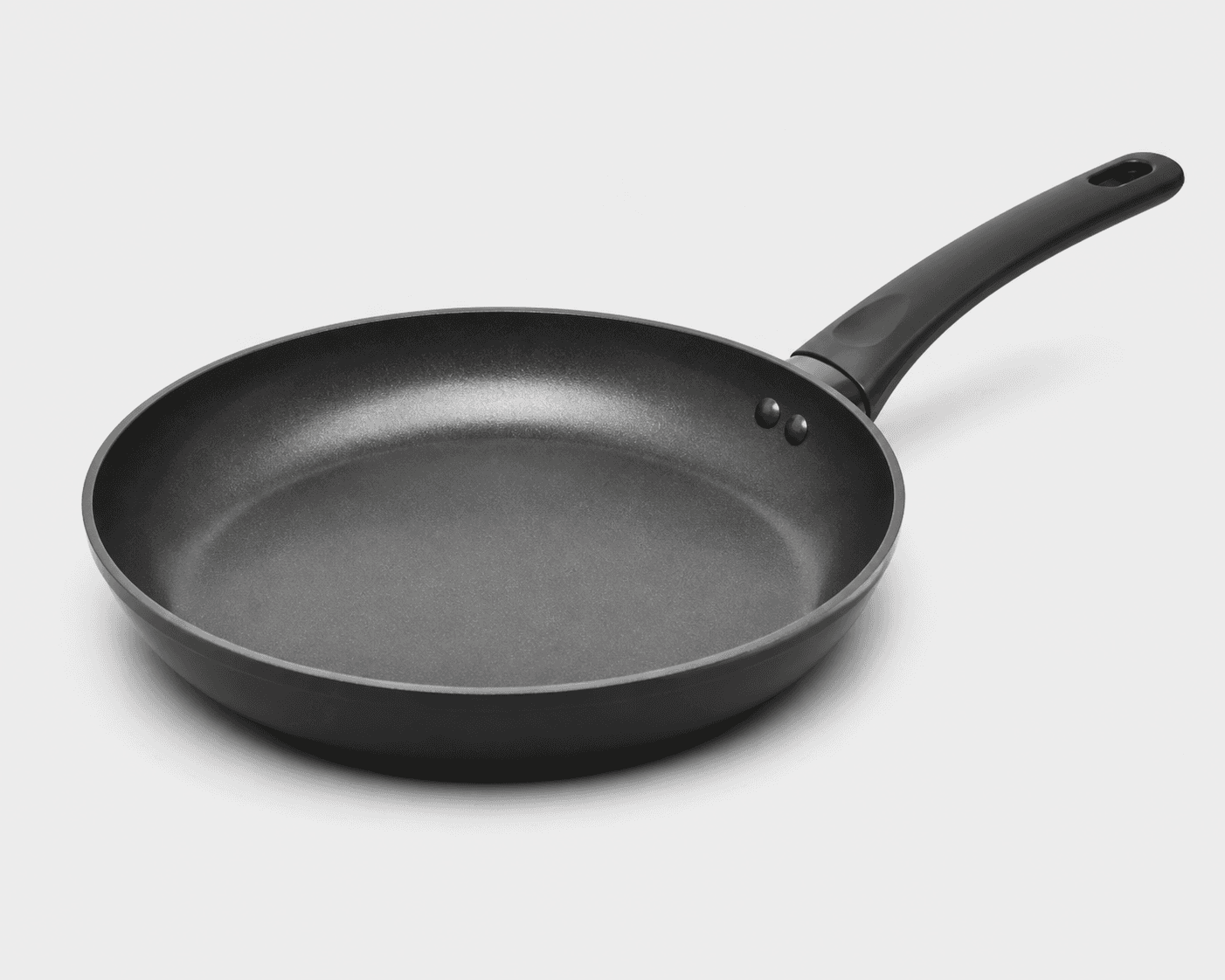
Use the supplied 12-inch nonstick frying-pan reference to build a bright, stovetop lifestyle frame with the pan as the hero: keep the full round body, gray cooking surface, raised rim, long black handle, and handle opening visible; add only restrained kitchen context for scale. In Airveek, choose product-scene, lifestyle, and social-post, then check a square-safe crop and mobile thumbnail before export.
Search task: nonstick frying pan lifestyle product photo
Written by LIKA
The buyer question
How do I show this nonstick frying pan in a believable setting without hiding its scale or important details?
Quick setup
- Goal
- Ecommerce lifestyle gallery and social-post crop
- Output
- 4:5 portrait lifestyle frame, 1:1 centered mobile-safe crop, Largest available export before destination-specific resizing
- Goal
- social-post
- Mode
- product-scene
- Scene
- lifestyle
Example Airveek result
How to create it
1. Upload the two supplied references
Add the supplied frying-pan reference as the product input and the supplied morrow logo reference as the second input when the fictional demo brand is shown. Use the pan reference to preserve the round body, gray cooking surface, raised rim, long black handle, oval opening, and two visible handle fasteners.
2. Choose the lifestyle setup
In Airveek's product-fashion creator, set Mode to product-scene, Scene to lifestyle, and Goal to social-post. This assigns the frame to believable context and scale while leaving clean identification to the listing sibling and close inspection to the detail sibling.
3. Paste the pan-specific prompt
Ask for one complete pan on a clean stovetop beside a light neutral counter. Keep the pan dominant, use a gentle three-quarter angle, retain the full handle and interior, and reserve food, steam, and decorative styling for a separate test so the cooking surface stays readable.
4. Generate one fresh lifestyle result
Run one fresh lifestyle job from the same pan and logo references. Save a result only after checking that the scene is believable, the pan is still the same product, and no invented text, claims, extra products, or altered geometry appear.
5. Review the scene at full size and thumbnail size
Compare the result with the supplied reference at full size, in a 4:5 portrait crop, and at a 240 × 240 mobile thumbnail. Reject any crop that loses the pan silhouette, cooking surface, rim, handle connection, handle end, or handle opening, and soften any highlight that erases the interior.
Tested prompt
Use the supplied frying-pan reference and the supplied morrow logo reference as the only inputs. If branding is shown, place the exact lowercase wordmark "morrow" with both sparkle stars naturally on the product or package, and add no other readable brand copy. Create one premium ecommerce lifestyle photo for one 12-inch nonstick frying pan. Keep the exact round pan shape, gray cooking surface, gently raised rim, long black handle, oval hanging opening, two visible handle fasteners, finish, and color unchanged. Place the pan on a clean, believable kitchen stovetop beside a light neutral counter, viewed from a gentle three-quarter angle that keeps the complete pan, surface, rim, handle connection, and handle end visible. Use restrained context for scale, keep the pan dominant and unobscured, and compose with enough margin for a 4:5 portrait crop and a centered 1:1 mobile crop. Use soft directional light that reveals the interior without a hard glare. Do not add food, steam, extra products, invented dimensions, product claims, watermarks, retailer logos, promotional overlays, or any other readable text.Recorded settings
- Goal
- social-post
- Mode
- product-scene
- Scene
- lifestyle
Common problems and fixes
Problem: Food, steam, or a utensil covers the cooking surface or handle connection.
Fix: Remove the meal from the first lifestyle direction, keep the pan empty, and use a separate food-use variation only after the clean context frame passes review.
Problem: The pan is too small in the kitchen or the handle is lost in the crop.
Fix: Move the camera closer or reduce background context, keep the full pan dominant, and leave margin for both the 4:5 frame and centered square crop.
Problem: A hard reflection erases the gray cooking surface or raised rim.
Fix: Use a broader diffuser or move the light off-axis, then check the highlight at full size and at the mobile thumbnail before export.
Problem: The generated pan changes geometry, finish, color, or the supplied brand mark.
Fix: Compare it with the supplied source, repeat the identity constraints and exact lowercase morrow mark, and reject the changed result.
Problem: The scene implies a dimension, coating, compatibility, or cooking-performance claim.
Fix: Remove rulers, badges, labels, and unsupported copy. Keep measurements and specifications in verified product information, and use the image only for visible context and shape.
What to double-check
- The supplied image anchors visible shape, surface, rim, handle, handle opening, and fasteners only; it does not establish coating chemistry, measured diameter, cooktop compatibility, care, or performance.
- A stovetop context can make the pan easier to picture at working scale, but it cannot prove heat behavior, food performance, safety, or any other product specification.
- No finished Airveek lifestyle frame is available in the current ECO11 kit. Generate and inspect one from the same references before using a generated image in a gallery or campaign.
- Keep the lifestyle job separate from the clean listing image and the close surface-and-handle detail image so each frame answers one shopper question.
Why this works
The lifestyle job gives the shopper a believable kitchen context and a scale cue without asking the setting to prove every product detail. The supplied pan remains the visual anchor: its round body, gray cooking surface, raised rim, long black handle, oval opening, and visible fasteners stay readable. The clean listing sibling handles quick identification, and the detail sibling handles close surface-and-handle inspection.
Before you export
- Compare the result with the supplied reference: the round body, gray cooking surface, raised rim, long black handle, oval opening, visible fasteners, finish, and color should remain consistent.
- Keep one complete pan dominant and unobscured; use the stovetop and counter as restrained context for scale, not as competing subjects.
- Inspect a 4:5 portrait crop and a 240 × 240 mobile thumbnail so the pan, surface, rim, handle connection, and handle end still read at small size.
- Use soft directional or diffused light and adjust the angle if a hard highlight hides the cooking surface or raised rim.
- When branding is shown, use the supplied exact lowercase morrow wordmark with both sparkle stars and no other readable brand copy.
- Verify dimensions, coating, cooktop compatibility, care, safety, and performance from product information rather than from the image.
Common questions
How much kitchen context should a lifestyle frying-pan photo include?
Use enough context to make the stovetop setting and relative scale believable, then stop before the scene competes with the pan. Keep one complete pan dominant, with the cooking surface, rim, handle connection, and handle end readable. A clean listing frame and a close detail frame should carry the jobs that context cannot.
Can a lifestyle image prove that this frying pan is exactly 12 inches?
No. The brief names this product as a 12-inch nonstick frying pan, but the supplied image does not verify a measured diameter. Use the stovetop and counter for a visual scale cue, and keep exact measurements tied to verified product information rather than adding a ruler, badge, or dimensional text to the image.
Should I put food in the pan for the lifestyle image?
Start with an empty pan when the cooking surface and handle relationship are important. Food or steam can make the scene feel active, but it can also cover the very details a shopper needs to inspect. Treat food use as a separate variation and keep the clean lifestyle frame available for context and scale.
How do I keep glare from hiding the pan's cooking surface?
Use soft, broad light from the side rather than a small direct source aimed at the interior. Keep the highlight controlled enough that the gray surface and raised rim remain visible, then inspect the result at full size and in the mobile crop. Product-photography community advice is useful here as a practical lighting cue, not as a guarantee about any particular image.
Further reading
- The Complete Guide to Ecommerce Photography — Shopify
- Image link [image_link] | Google Merchant Center Help — Google Merchant Center Help
- Additional image link [additional_image_link] | Google Merchant Center Help — Google Merchant Center Help
- Home and Kitchen Product Photography for Amazon and Shopify — Jonemoo Studio editorial team
- Kitchenware Photography | Kitchen Warehouse — Amplify Creative Lab
- How do you photograph small, detailed, glossy items without a $2000 camera setup? — Reddit product-photography discussion
- Marketplace/category reference — Amazon marketplace reference